
What conditions can I use to create segments in new segmentation?
You can search for contacts in your account using a variety of different conditions. You can then save these searches as segments. Segments let you target a specific group of contacts as recipients for your messages. They are useful when you want to send a message, but would prefer not to use your entire list as the recipient group. Segments are dynamic: any contacts who meet the criteria of the search in the future will be part of the segment as well.
As of January 2026, a new segmentation version is available. It is being gradually rolled out to existing accounts and is already set as the default for all newly created accounts.
The new version can be identified by the BETA label.
The steps outlined in this article apply exclusively to accounts with access to the new segmentation. If your account does not yet have access to the new segmentation, you can find the instructions here.
You can apply up to 64 conditions and divide them into condition groups. The conditions and subsets available are:
Contact properties
Name and email
Use these conditions to include or exclude contacts based on their name or email address.
Custom field
Use this condition to include or exclude contacts based on a custom field. You can narrow the search based on whether a specific custom field is or isn’t assigned, and by the specific value.
Tag
Use this condition to search for contacts based on whether they have a specific tag assigned or not.
Consent
Use this condition to find contacts by their open tracking consent status. You can choose:
- Given — the contact agreed to individual open tracking.
- Declined — the contact declined individual open tracking.
- Unknown — the contact has not answered yet.
This condition searches by consent status, not by whether a contact opened a message.
Engagement score
Use this condition to search for contacts based on their engagement score. You can narrow down the search based on a specific score (from 1 to 5). Engagement Score at GetResponse is a tool that identifies and scores the activity of your contacts based on their interactions with your emails.
Score
Use this condition to search for contacts based on their score. You can narrow the search based on whether they have a score assigned or not. You can also specify the score based on a range.
Contact actions
Subscribed
Use this condition to search for contacts based on how they joined your list. You can narrow the search for contacts who joined using a specific method (import, landing page, form, etc.) or using any of the available methods. You will also be able to specify when the subscription to the list occurred.
Is on list
Search for contacts belonging to a specific contact list.
Webinars
Use this condition to search for contacts based on their webinar participation. You can narrow the search based on a specific webinar. You can also specify the type of participant: host, presenter, registrant, attendee, lobby visitor.
You can use different types of participants to send more personalized messages, for example, “thanks for attending” only for attendees or “sorry you didn’t come” to lobby visitors.
Email activity
You can search for contacts based on whether they were sent your messages or not. You can narrow the search based on a type of message as well as a specific message in that category.
You can also include or exclude contacts based on opening messages. You can select a specific message (and message type) as well as the time range in which it was opened, search for contacts who haven’t opened any emails, or those who have opened at least one email of any type within the chosen time range.
You can also search for contacts based on whether they clicked links in your messages or not.
You can narrow your search to a specific link in a specific email, as well as find contacts who haven’t clicked any links in any email or in a specific email, and also those who have clicked at least one link in any email of any type within the selected time range.
When you build a segment based on the conditions Opened an email and/or Clicked a link, the results may include interactions generated by bots or by Apple Mail Privacy Protection. To improve the accuracy of such segments, you can enable filtering to exclude these artificial interactions.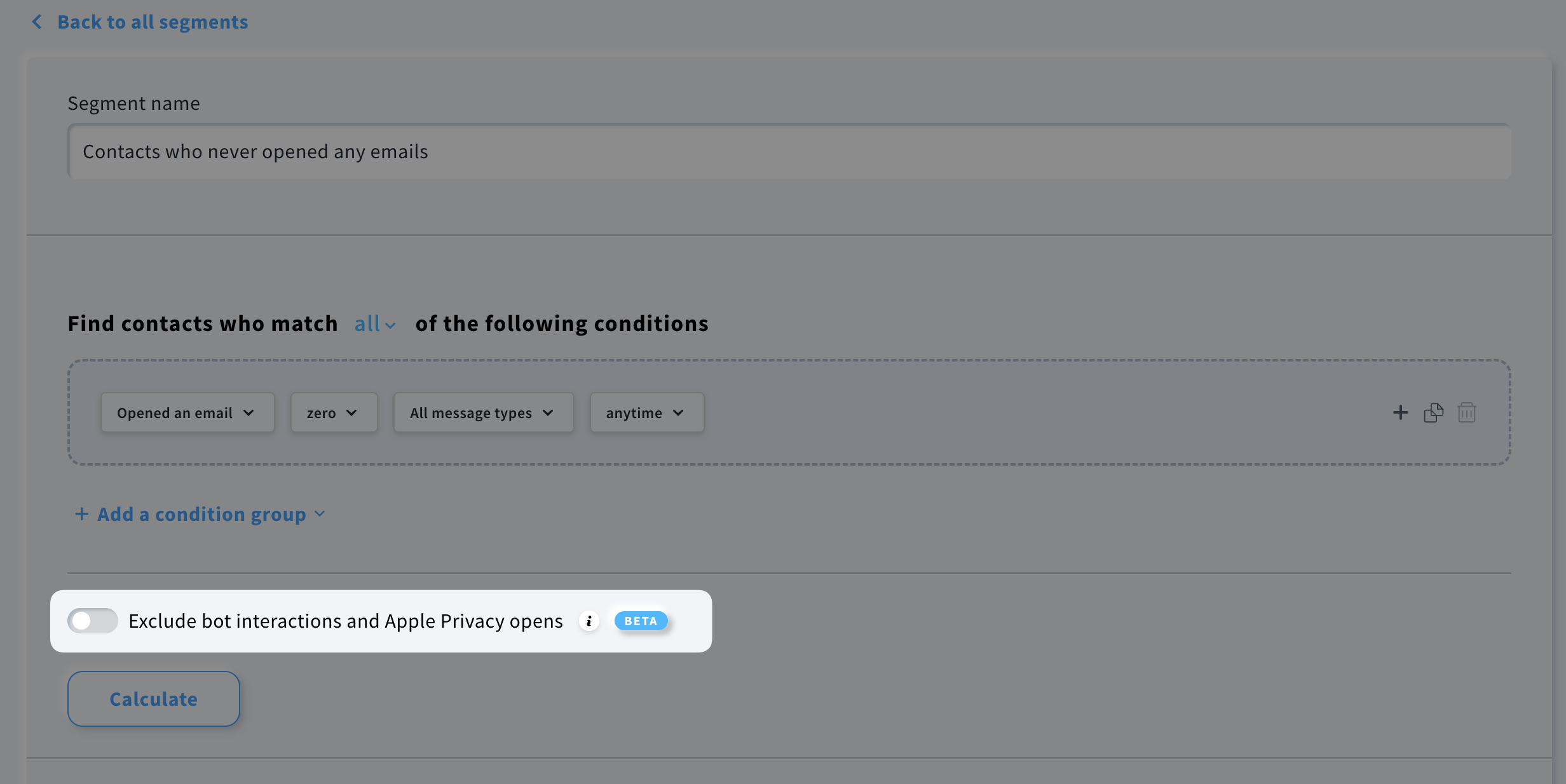
When the switch is enabled, interactions identified as likely bot traffic are removed, and the segment count and results are recalculated accordingly.
Text message activity
Use these conditions to find contacts based on SMS messages they were sent. You can search for contacts who were sent a specific SMS message, at least one SMS message, or no SMS messages. Narrow the results to a specific date or date range.
You can also find contacts based on whether they clicked a link in an SMS message. Search for clicks in a specific SMS message, any SMS message, or no SMS messages, and choose a specific date or date range.
Purchase behavior
This section allows you to search by:
Product purchased – Select this condition to search for contacts based on their purchased products. You can narrow the search based on purchases from a specific shop. You can also specify the results based on whether the purchase is or isn’t from a specific category or brand. Finally, you can display contacts who completed the purchase before a specific date, after a specific date, or in a particular date range.
Number of orders – Select this condition to search for contacts based on their number of orders. You can narrow the search based on orders from all shops or a specific shop. You can also specify the results based on a range.
Total spent – Select this condition to search for contacts based on their amount spent. You can narrow the search based on purchases from all shops or a specific shop. You can also specify the results based on the amount spent and the currency used.
Abandoned cart value – Select this condition to search for contacts who abandoned their cart. An abandoned cart refers to a situation where a potential customer adds items to their cart but leaves your website without completing the purchase. You can narrow down the search based on the shop, value, and date.
New vs. legacy segmentation
The new segmentation version is under active development, so some search conditions from the legacy version may not yet be included. New conditions will be added on an ongoing basis. If the specific condition you need for your strategy isn’t available, contact our Customer Success Team for assistance.
All search conditions available in the legacy segmentation are described here.


