
How to use AI Product Recommendations in emails? MAX
The feature described in this article is available only in MAX plans.
Here you can learn more about AI Product Recommendations.
If you’re on Marketer or Creator plan, we offer a tailored solution for your needs. You can learn more about it here.
Boost your email marketing performance with highly personalized product suggestions delivered directly to your subscribers’ inboxes.
Available for GetResponse MAX customers, AI Recommendations use machine learning algorithms to analyze subscriber behavior and automatically match products to individual preferences, needs, and browsing patterns. This continuously optimized feature ensures your audience always sees the most relevant products, helping you drive higher click-through rates and increase sales.
This feature requires technical setup. To learn about implementation costs or to initiate the setup process, please contact our Customer Success Team. For a complete overview of the feature, check out our main article on AI Recommendations.
Types of email recommendations available
You can choose from several predefined recommendation models depending on your campaign goals:
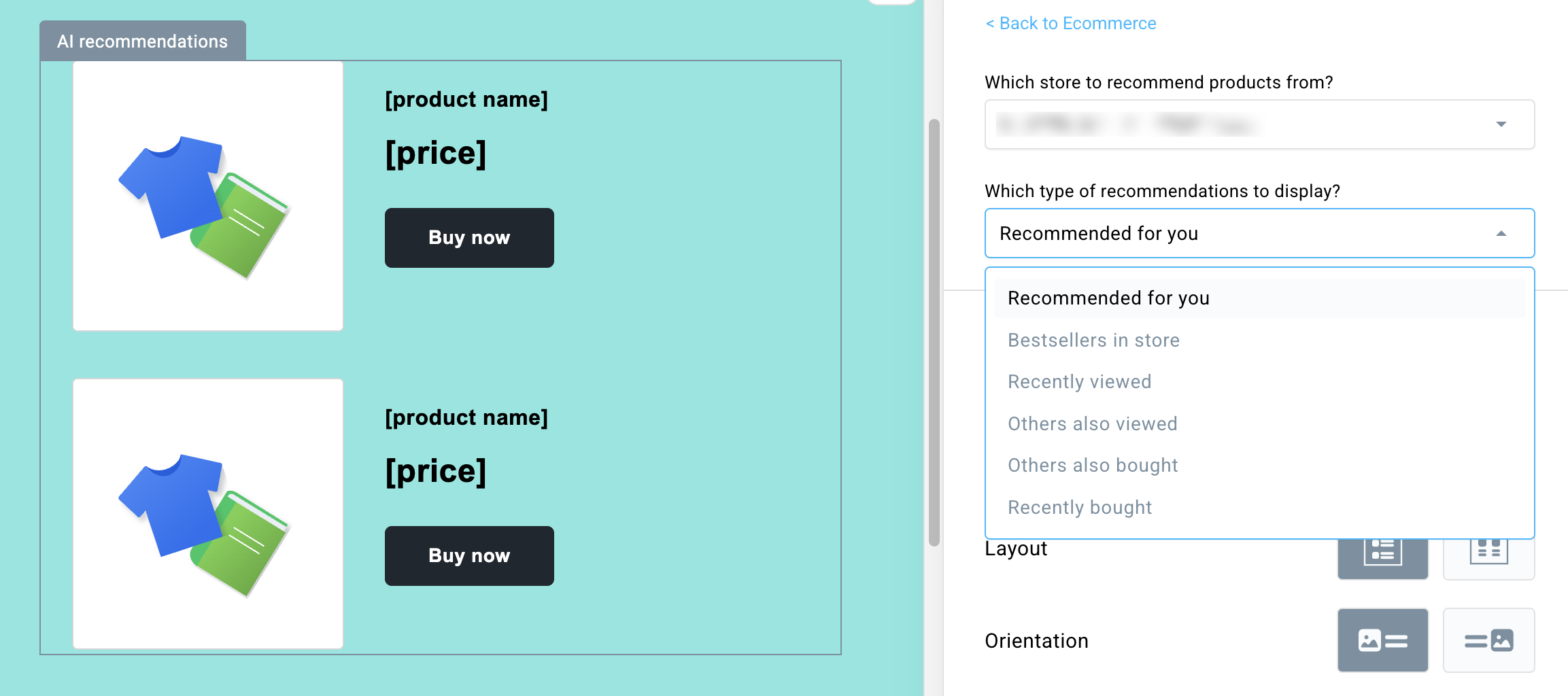
- Recommended for you
A highly personalized mix of recommendation models that dynamically suggests products based on the user’s recent browsing behavior, cart activity, purchase history, and items frequently bought together. - Bestsellers in store
Showcases the top-selling products in your store based on recent cart additions. - Recently viewed
Automatically displays products that the specific subscriber has recently browsed on your website. - Others also viewed
Recommends items frequently viewed by other customers who looked at similar products. - Others also bought
Suggests items frequently purchased together with products from the subscriber’s shopping history. - Recently bought
Displays products recently purchased by the subscriber to encourage repeat orders or complementary cross-selling.
If the selected recommendation model does not contain enough data, an automatic fallback mechanism will display Bestsellers in store recommendations instead, preventing empty recommendation boxes from appearing in your emails.
How to add AI Recommendations to your emails
Adding a personalized recommendation box to your email newsletter or automation message takes just a few steps:
- Open the message editor.
- In the right-hand layout panel, look under the Ecommerce section and click on the AI Recommendations element.
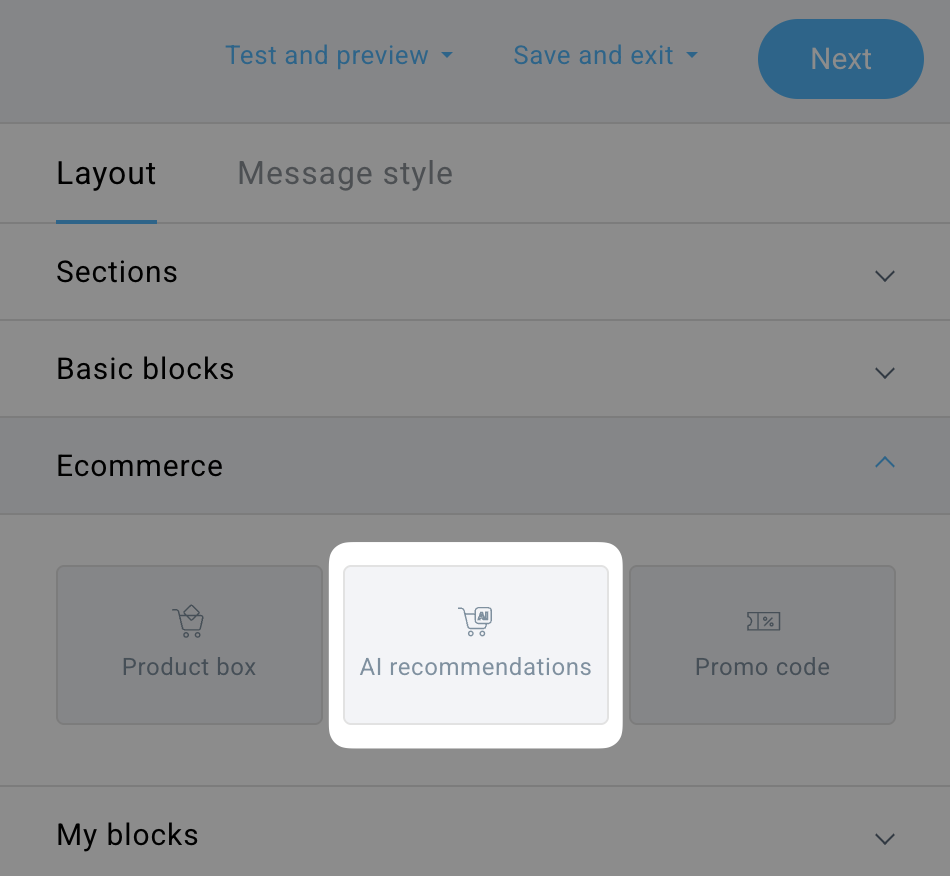
- Drag and drop the element into your message canvas. The block will automatically create a new section where your products will be displayed.
- In the right-hand settings panel, select which store you want to recommend products from and choose your preferred recommendations model.
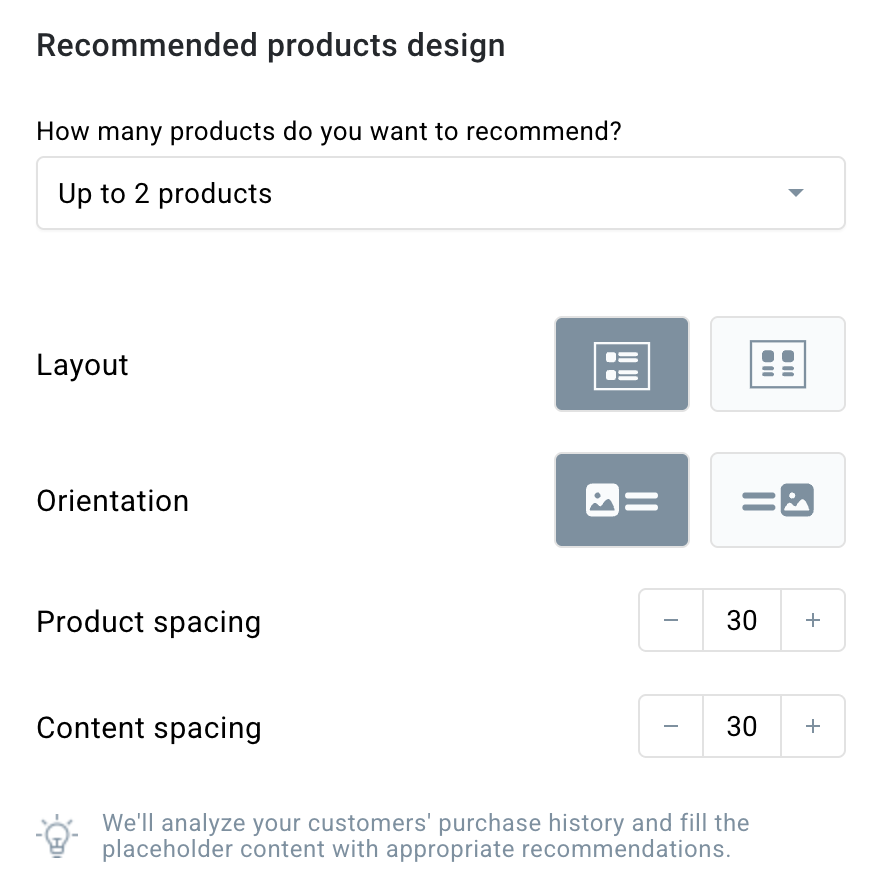
- In Recommended products design section, you can select how many products you want to display (2-6), and customize their layout and orientation.
- Recommended products style style section lets you customize the appearance of your recommendations. You can edit each part of the recommendation block, including the image, product name, price (which can be hidden), and button text.
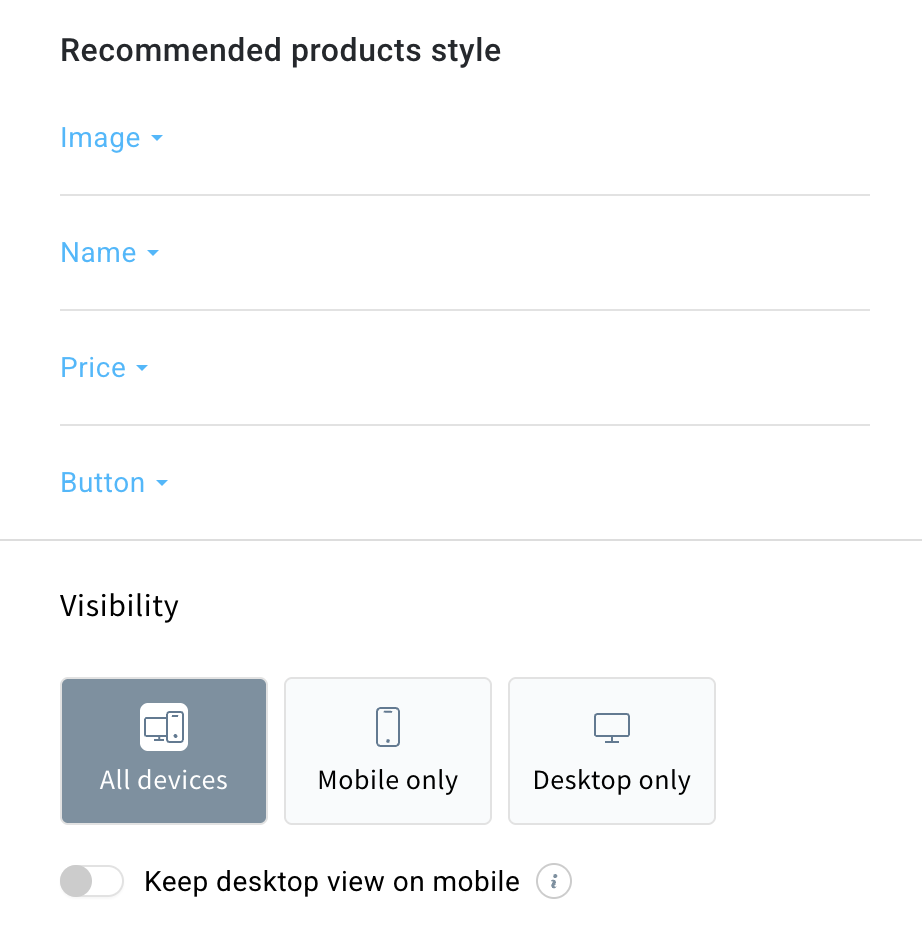
- In the Visibility section, you can choose to hide the recommendation block on desktop or mobile devices, or keep the desktop view on mobile devices.
Our recommendation engine takes care of the rest. Product images, prices, and names are automatically populated in real time when the message is sent to your subscribers.


