
Can I include contacts from a segment in my workflow?
You can start a marketing automation workflow with contacts that belong to a specific segment. This allows you to narrow down the workflow audience from the very beginning and run the automation only for a selected group of contacts, instead of adding entire contact lists and then relying on advanced filtering conditions later in the workflow.
The Add segments to workflow action works as a starting element and is executed only once. This means the workflow will include only the contacts that belong to the selected segment at the specific moment when the action is executed.
How to use the Add segments to workflow action
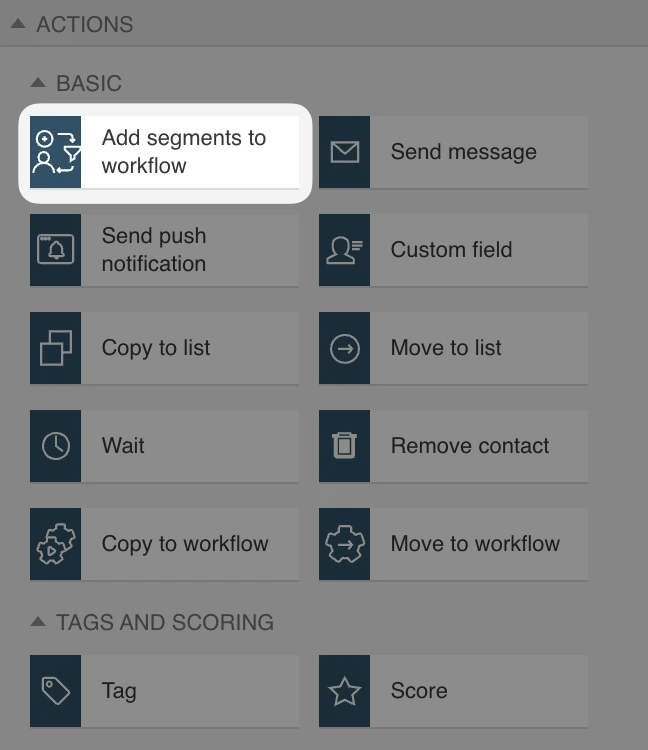
- Drag and drop the Add segments to workflow element to your workspace.
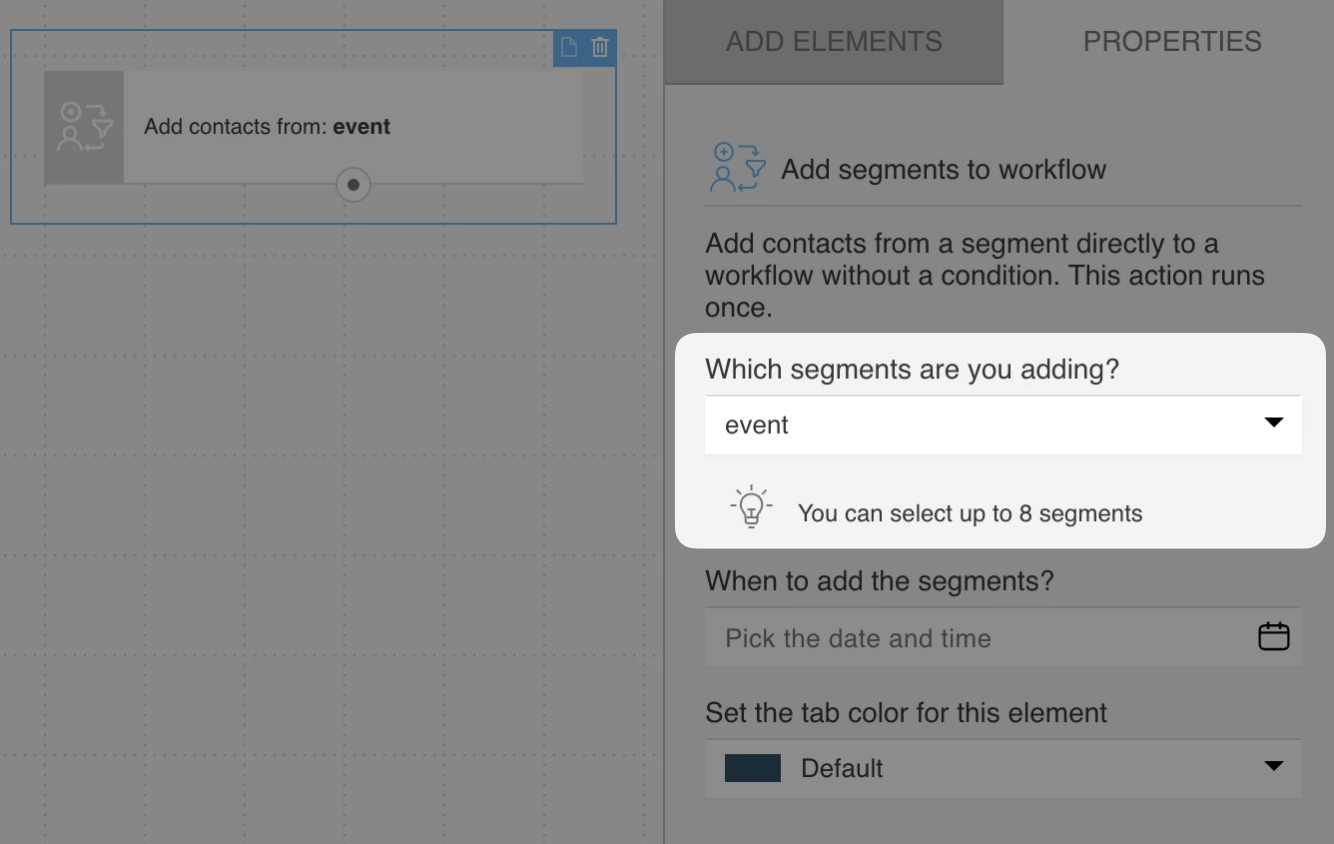
- Select which segment(s) should be added to the workflow. You can select up to 8 segments.
When selecting more than one segment, you must specify whether the contact should pass through this block only if it belongs to all selected segments, or if belonging to any of the selected segments is sufficient.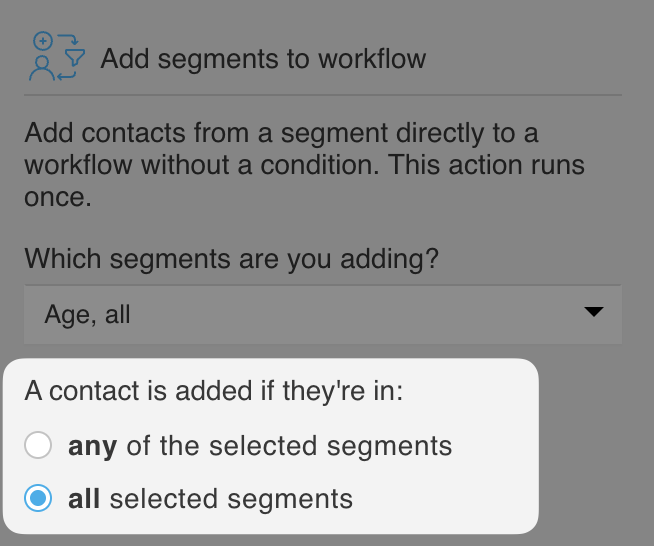
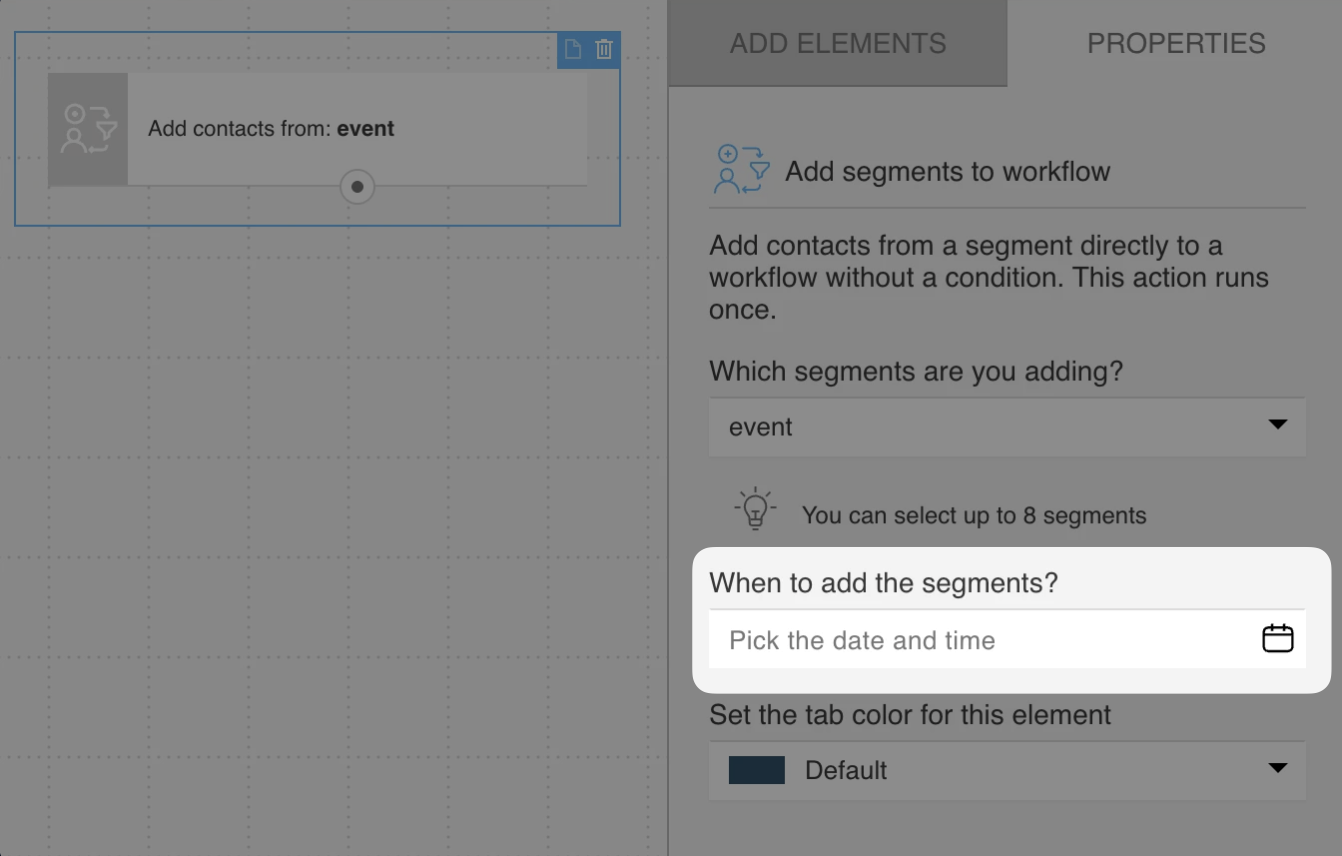
- Select when to add the segment(s). Contacts from the selected segment(s) will be added to the workflow on the date and time you choose here. Note: This action will run only once, meaning that only the contacts who are part of the segment at the selected moment will enter the workflow.
Next, you can connect this element to the rest of the path that the contacts are expected to follow.


