
How to recommend products from my store using GetResponse Chats?
You can now connect your GetResponse store directly to Chats. This means that during a conversation, you can send specific product recommendations straight into the chat window.
Your products will be displayed nicely as Product Boxes which creates a faster path to purchase and boosts sales through direct, personalized interactions.
This is a powerful way to make customer communication more engaging and sales-driven.
You first need to make sure that your store is connected to GetResponse.
How to connect your online store with chats
To integrate your store with GetResponse Chats:
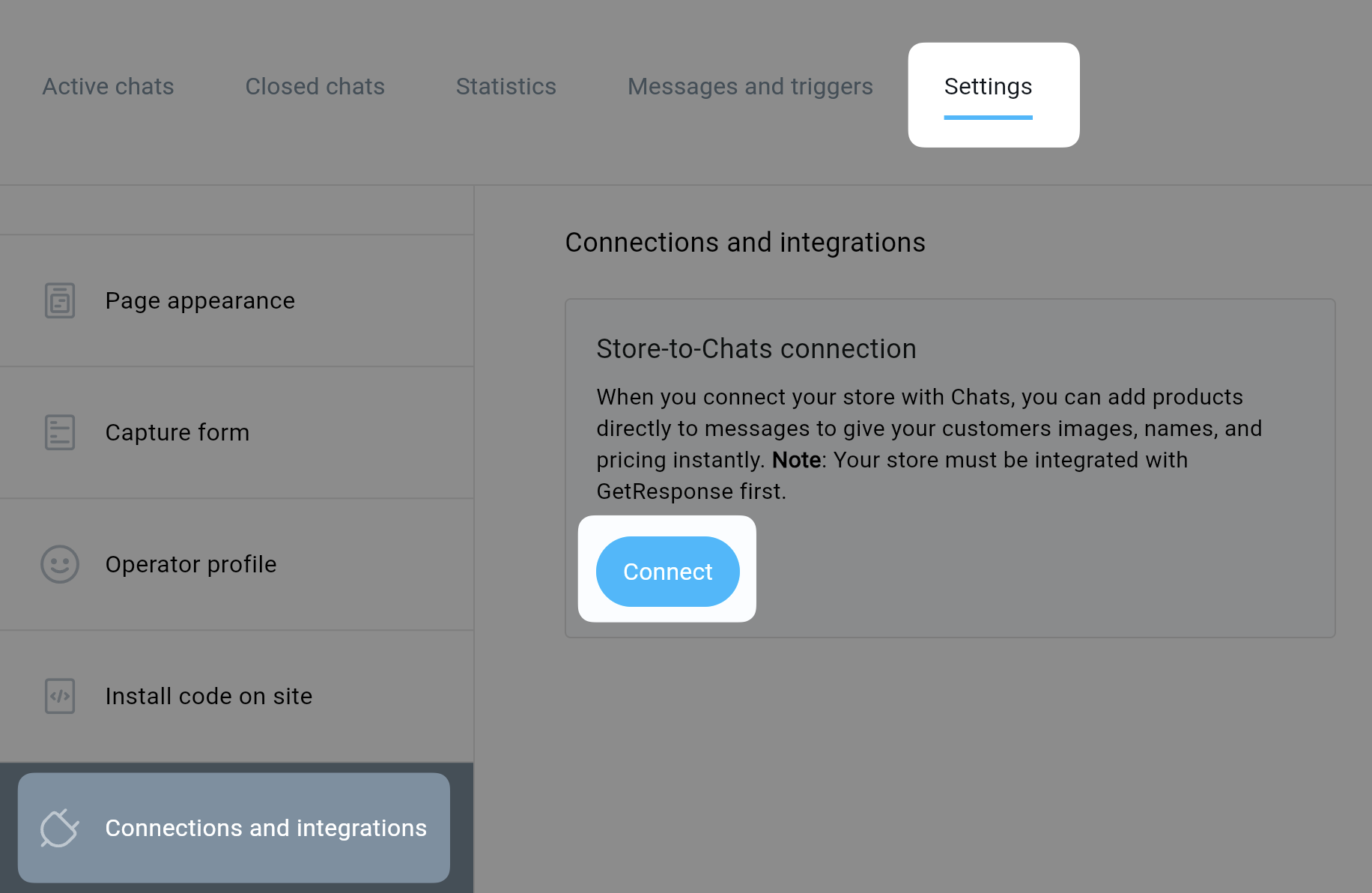
- Go to Chats.
- Click Settings.
- Choose Connections and integrations.
- Click Connect.
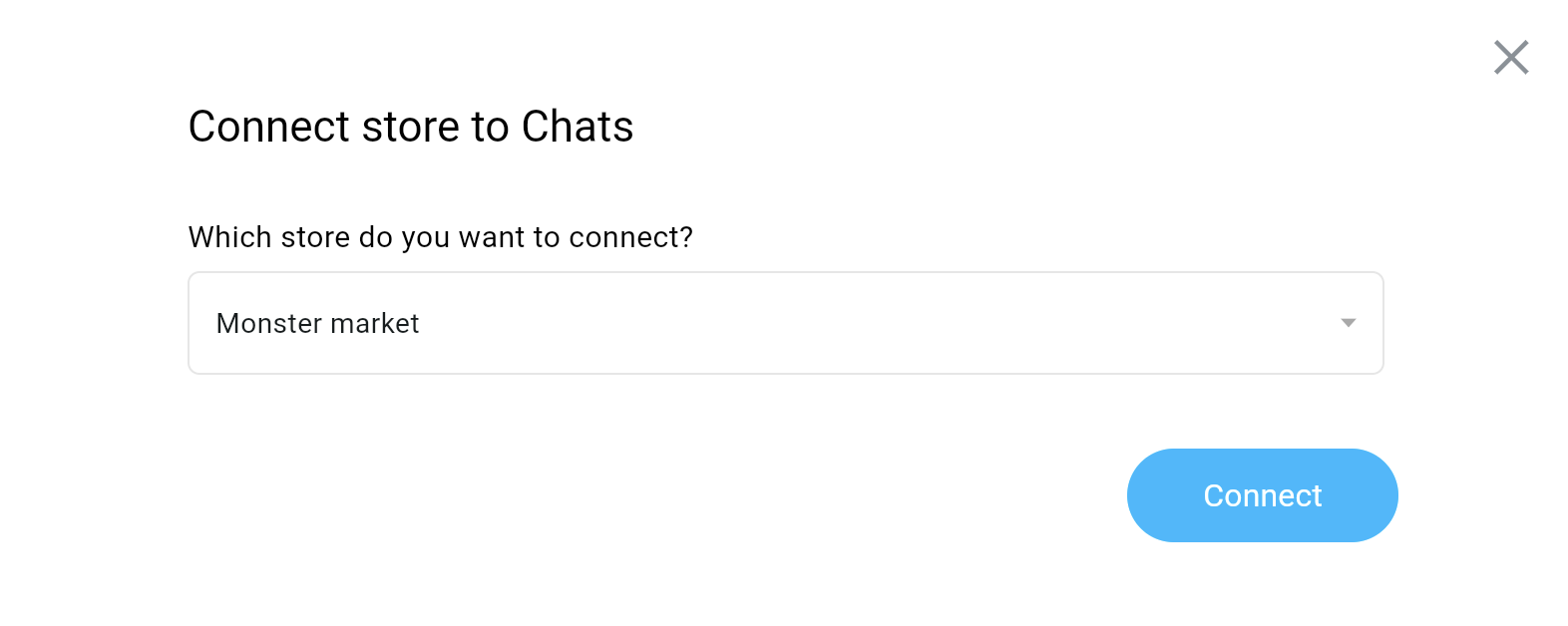
- From the dropdown menu, select the store you would like to connect and click Connect.
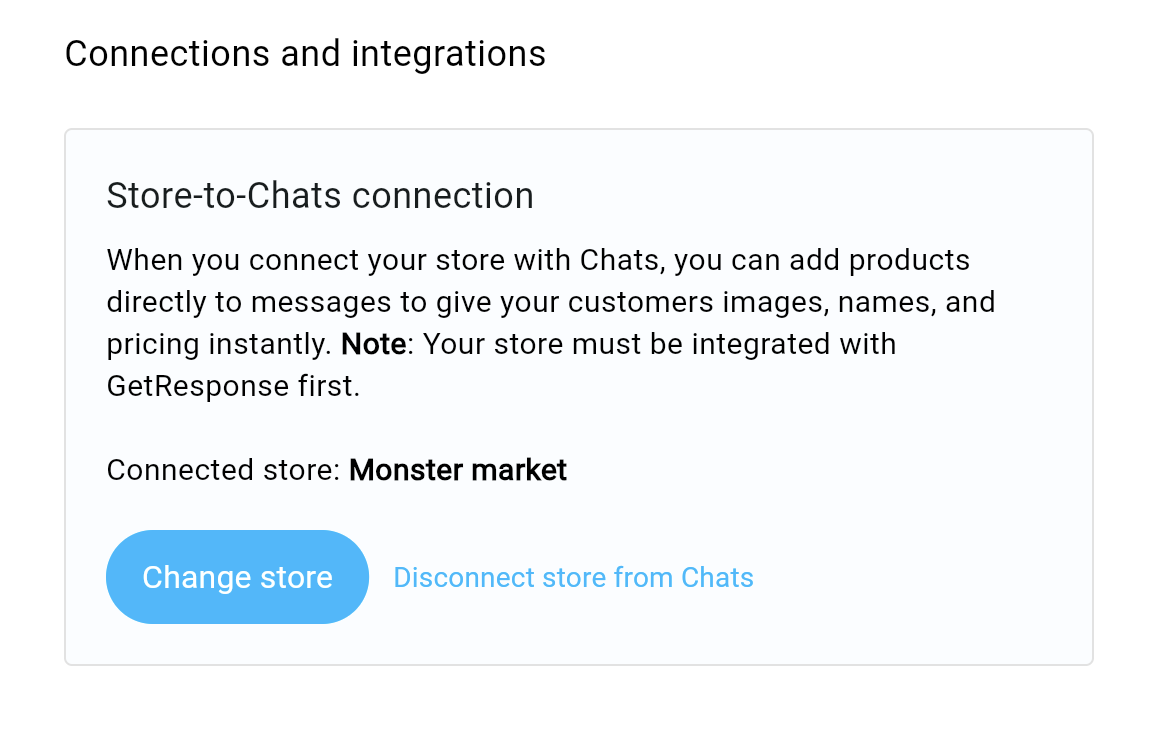
- After connecting the store, you’ll see the option to either change the store or disconnect it completely from chats.
How to use your products during chats with customers
To send your product to a customer:
- Click Add product icon.
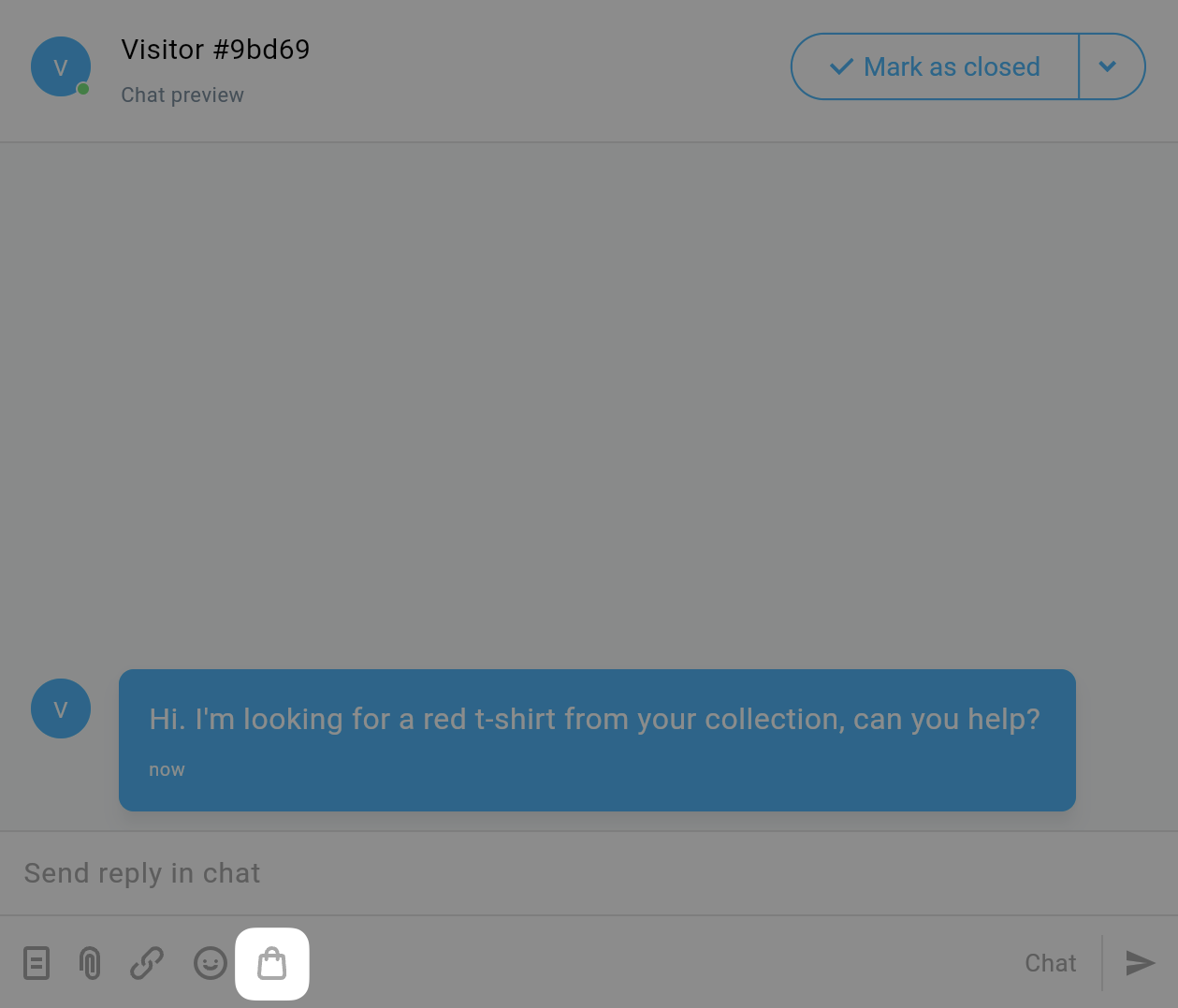
- Find and select a product from your store.
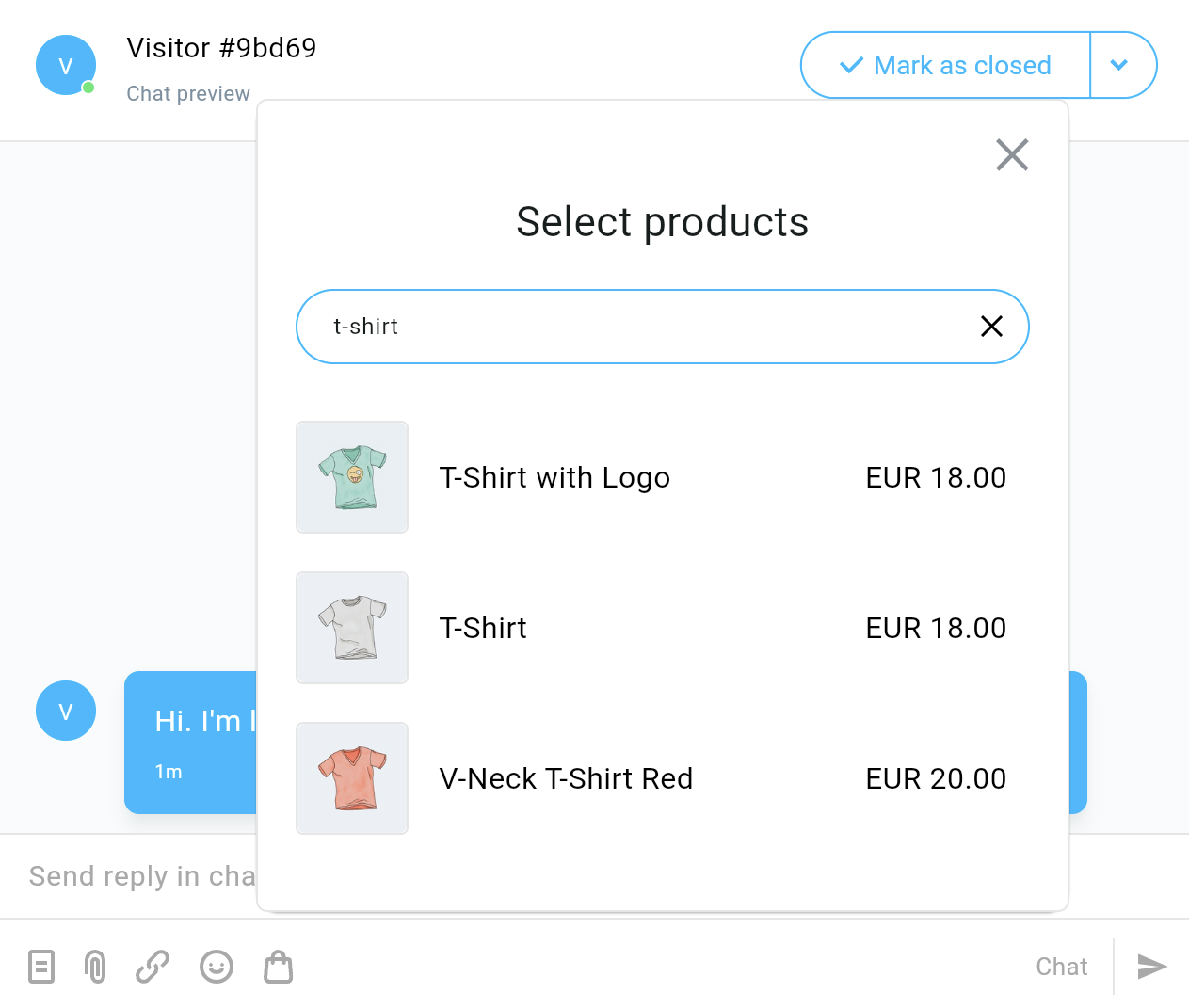
- Enter some additional text (optional).
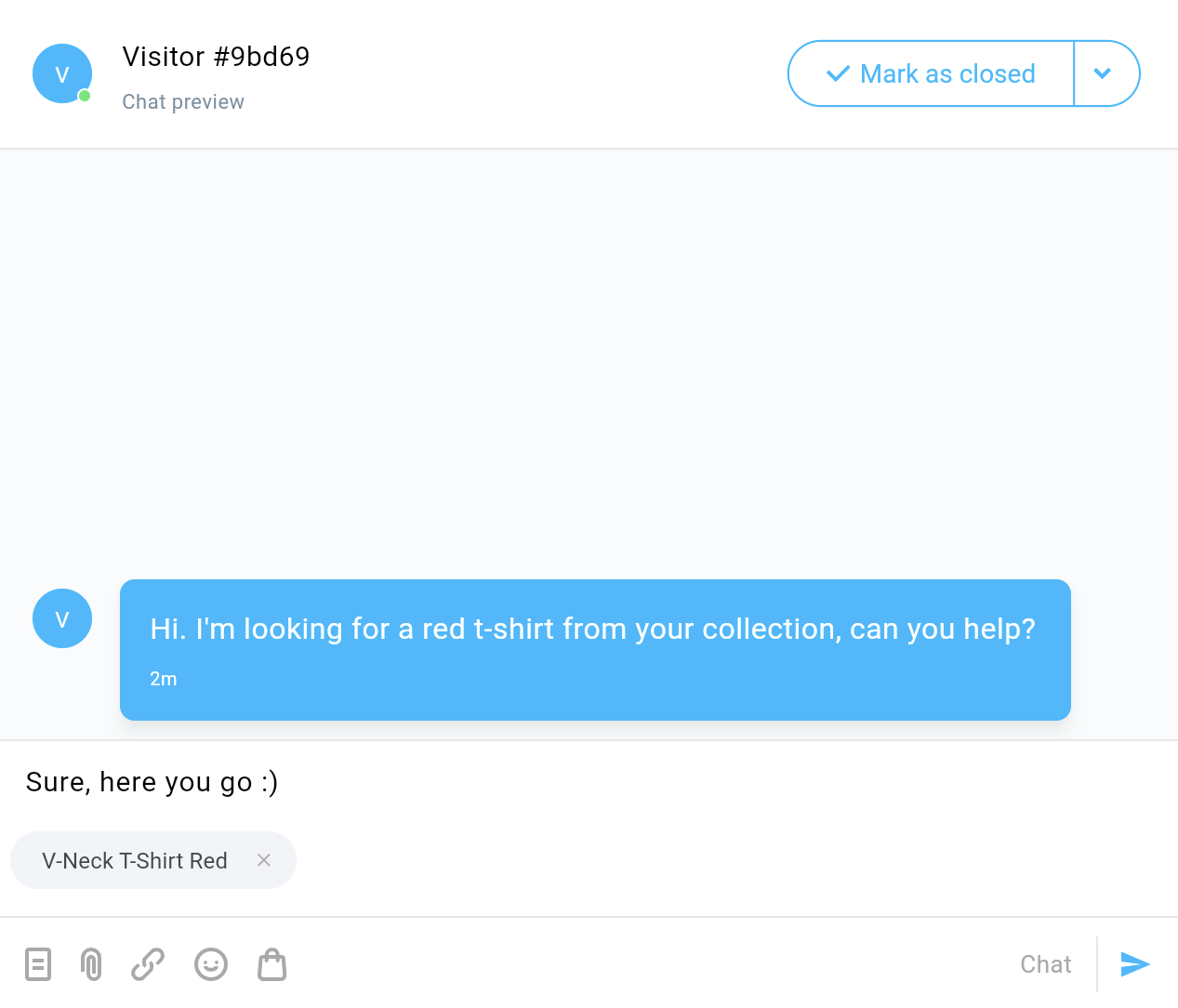
- Click to send the message.
- The customer will get a direct link to the product on your website with the product name, image, and price.
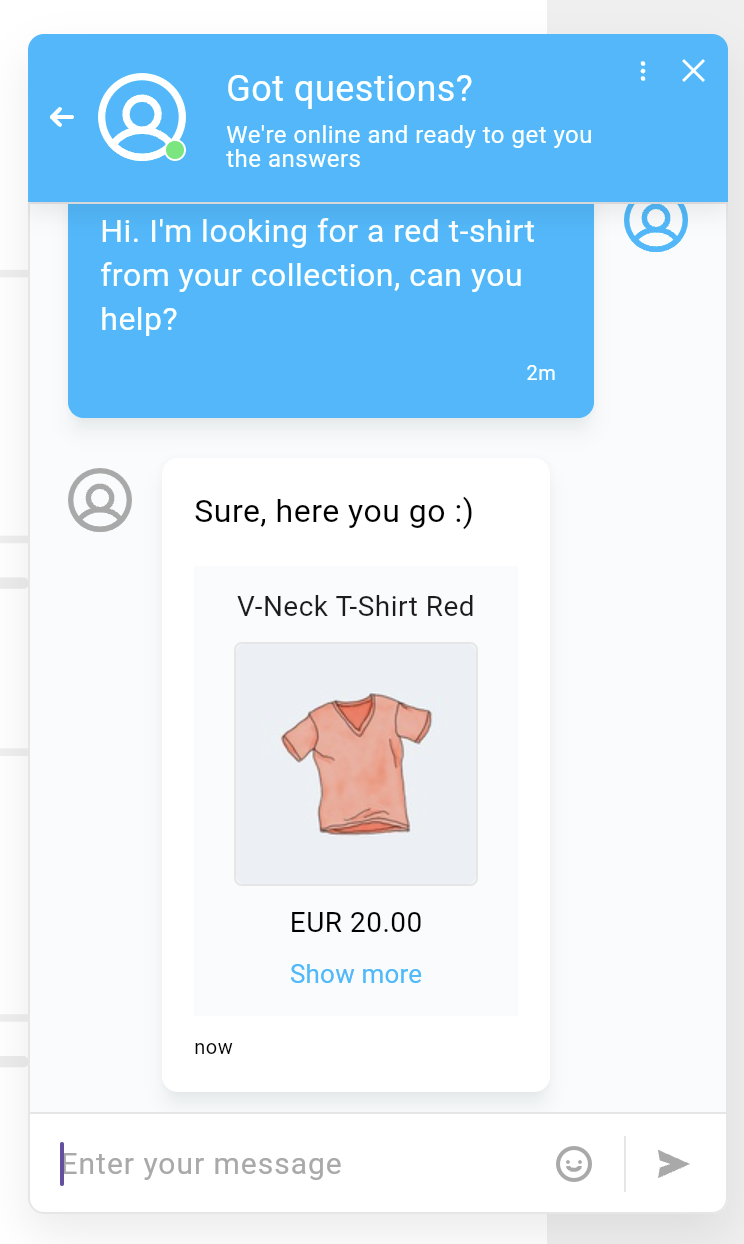
Remember that you can see your chats in work anytime by testing them.


