
How to enable Google Analytics tracking in Ecommerce Campaigns?
Google Analytics tracking allows you to monitor how recipients interact with your ecommerce campaign emails and how much traffic they generate to your website. When enabled, UTM parameters are automatically added to your links based on your Google Analytics integration settings.
UTM parameters are based on your existing Google Analytics integration settings configured in your GetResponse account. If you haven’t set up the integration yet, follow this guide: How to integrate GetResponse with Google Analytics?.
Google Analytics tracking is available for all campaign types, including:
- Abandoned cart campaigns (both marketing and transactional)
- Price drop campaigns
How to enable Google Analytics tracking in ecommerce campaigns
To enable tracking:
- Go to your ecommerce campaign settings.
- In the General settings section, turn on the Google Analytics toggle.
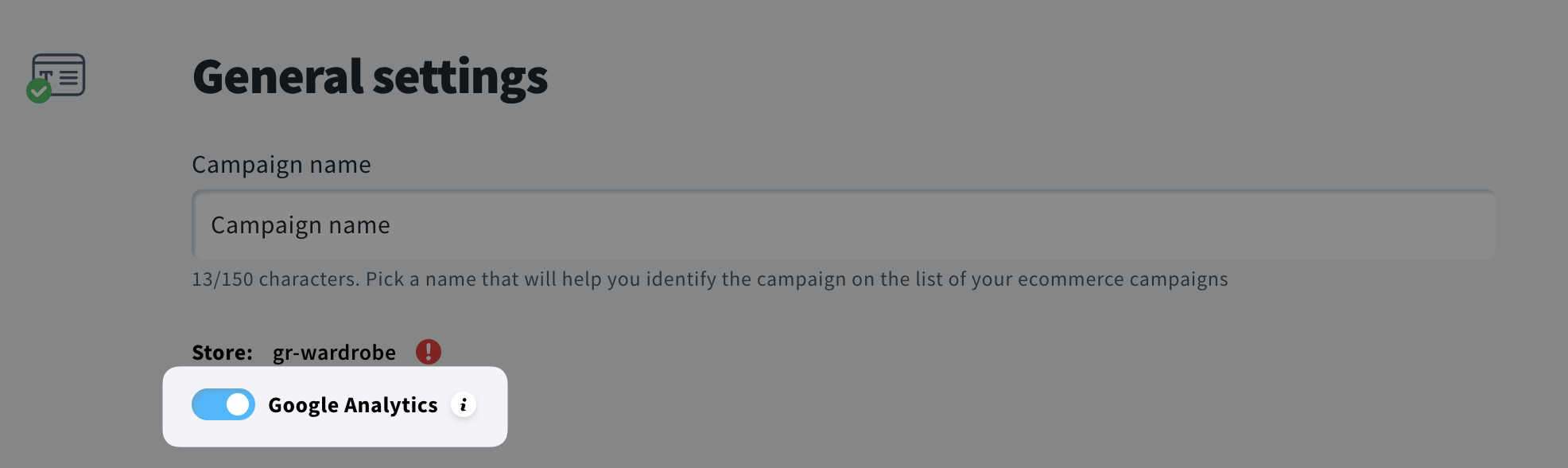
Once enabled, UTMs will be added to your email links according to your Google Analytics integration settings in your account.
Note: List name and list title aren’t available for transactional emails sent to recipients outside your contact list. If these values are used in tracking, they will be replaced with transactional_message in the data sent to Google Analytics.
How to know if tracking is working
After enabling the toggle and sending your campaign, you can check your Google Analytics reports. Traffic from your emails will appear with the UTM parameters defined in your integration settings.


