
How to check a contact’s consent status?
You can check a contact’s consent information in their contact profile. GetResponse shows two distinct types of consent there: Consent fields, which record answers to the consent requests you create, and open tracking consent, which controls individual tracking of email opens. An answer to one does not count as an answer to the other.
Difference between consent fields and open tracking consent
Consent fields let you ask contacts to agree to the purposes described in your consent text, such as how you collect and use their personal data. You create the fields and choose their wording. In a contact’s profile, you can review which consent fields they agreed to and when. Learn more about creating and using consent fields.
Open tracking consent records whether a contact agrees to have their email opens tracked individually. Its status is Yes, No, or Unknown if they have not yet answered. This status determines how their opens are handled when Track opens only with consent is enabled in your account. For background, see How to set up open tracking consent?.
Agreeing to a consent field about receiving marketing emails does not automatically mean the contact has agreed to individual open tracking.
How to check consent status
- Go to Contacts > Lists and find the contact using the search field or scroll through the results.
- Click the contact’s row to open their profile.
- Check the Consent fields tab for their Consent fields and consent history.
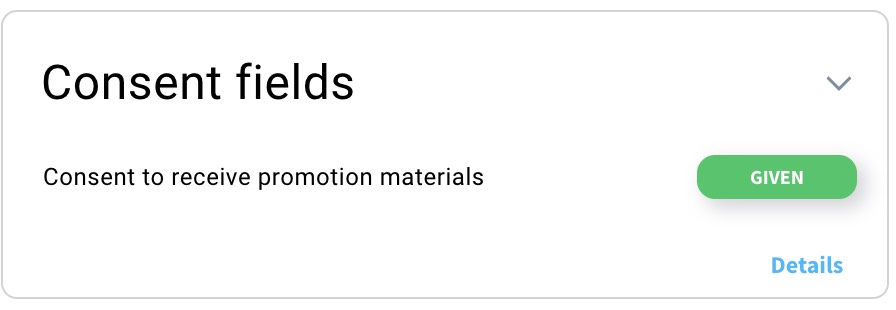
- Check their Open tracking consent status to see whether they answered Yes, No, or are still Unknown.
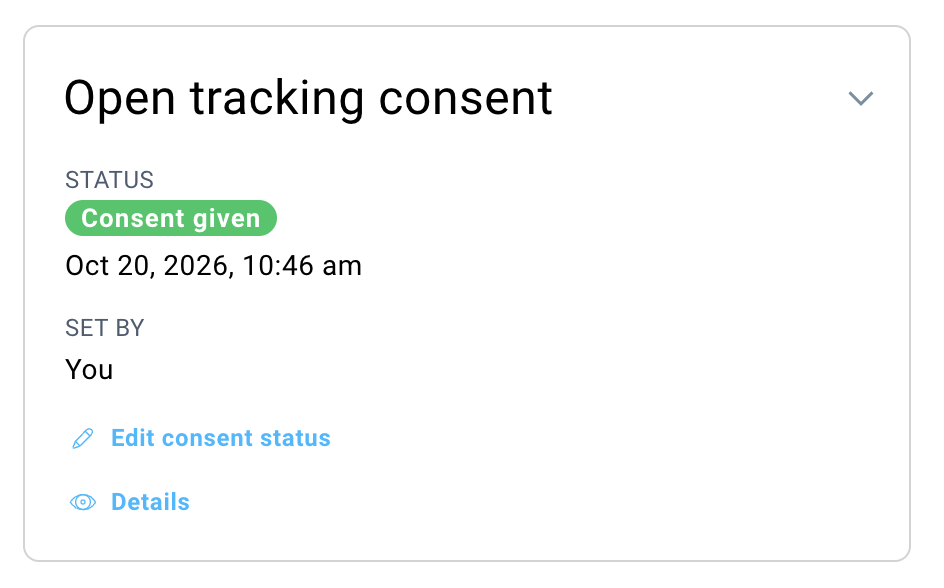
- If you want to check the status change history, click Details (this is possible only if the status has changed at least once).
Alternatively, you can create a segment of contacts with a specific open tracking consent status. Follow these steps:
- Go to Contacts > Segments (BETA).
- Click Create segment.
- Choose to Create segment by yourself.
- Select the following search condition: Contact properties > Consent > Consent to open tracking.

How to edit consent status
The account owner can only edit the status of open tracking consent, for example, if a subscriber personally requests this change. However, the status of consent/GDPR fields related to marketing permissions or data processing cannot be manually edited by the account owner.
To edit the status:
- In the contact card view, go to the Open tracking consent section.
- Click Edit consent status.
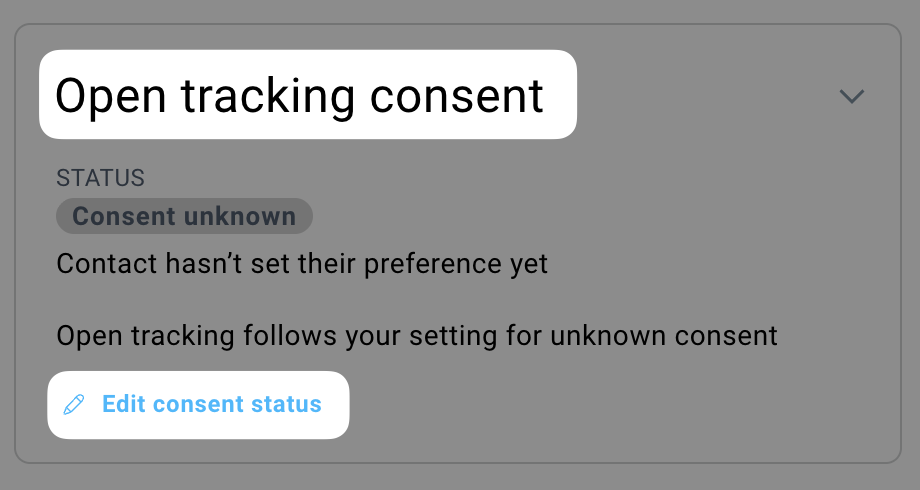
- Select the right status.
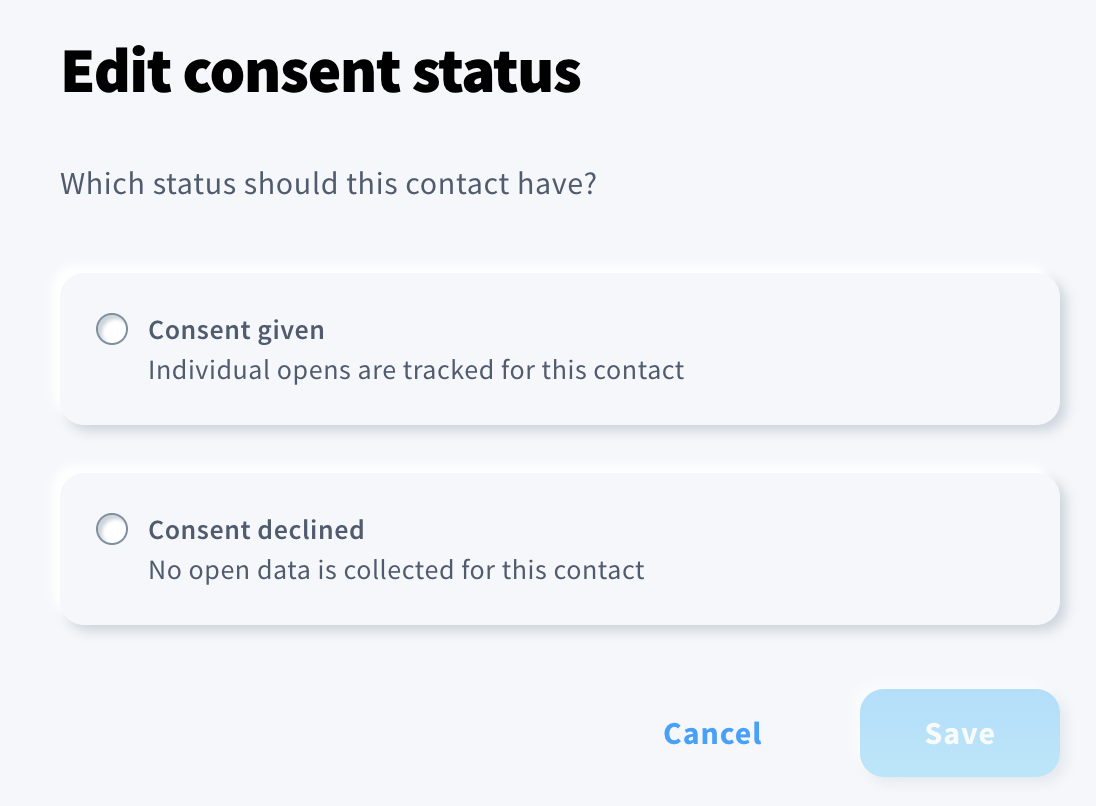
- Click Save.


