Can I prevent someone from joining the webinar?
While you can’t prevent someone from joining your webinar, you can remove them from the webinar room once they’ve joined.
How to remove a participant from the webinar
To remove a participant from the webinar:
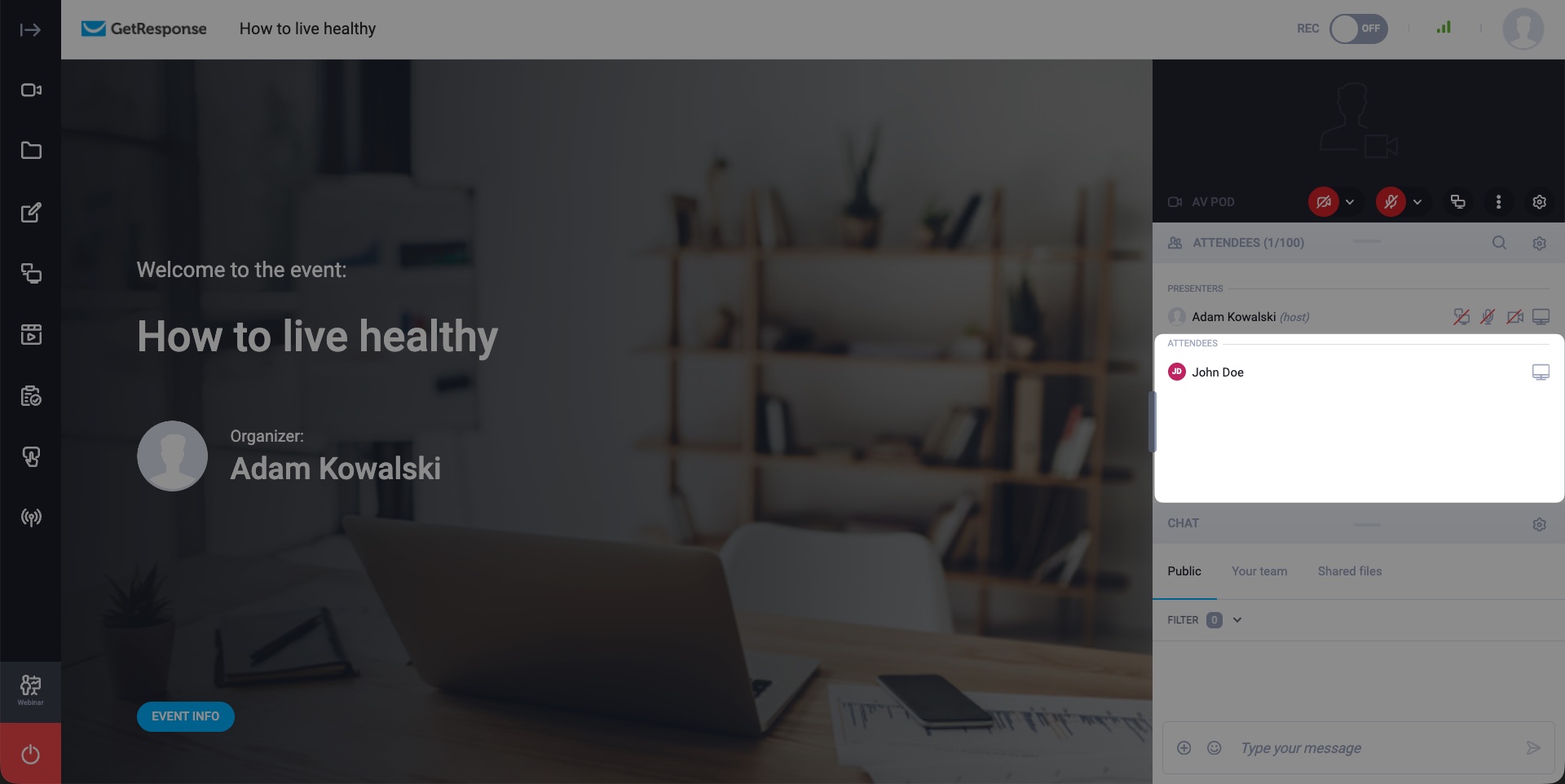
- Locate the user in the Attendees section on the right side of your webinar room:
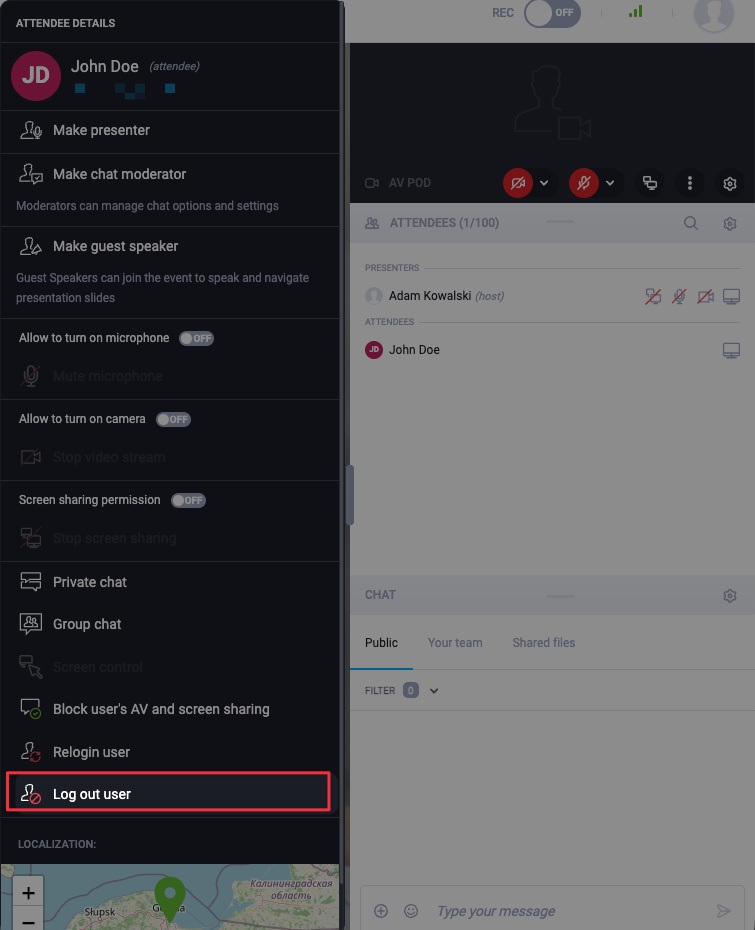
- Left-click on the participant’s name and choose the Log out user option to remove the participant:
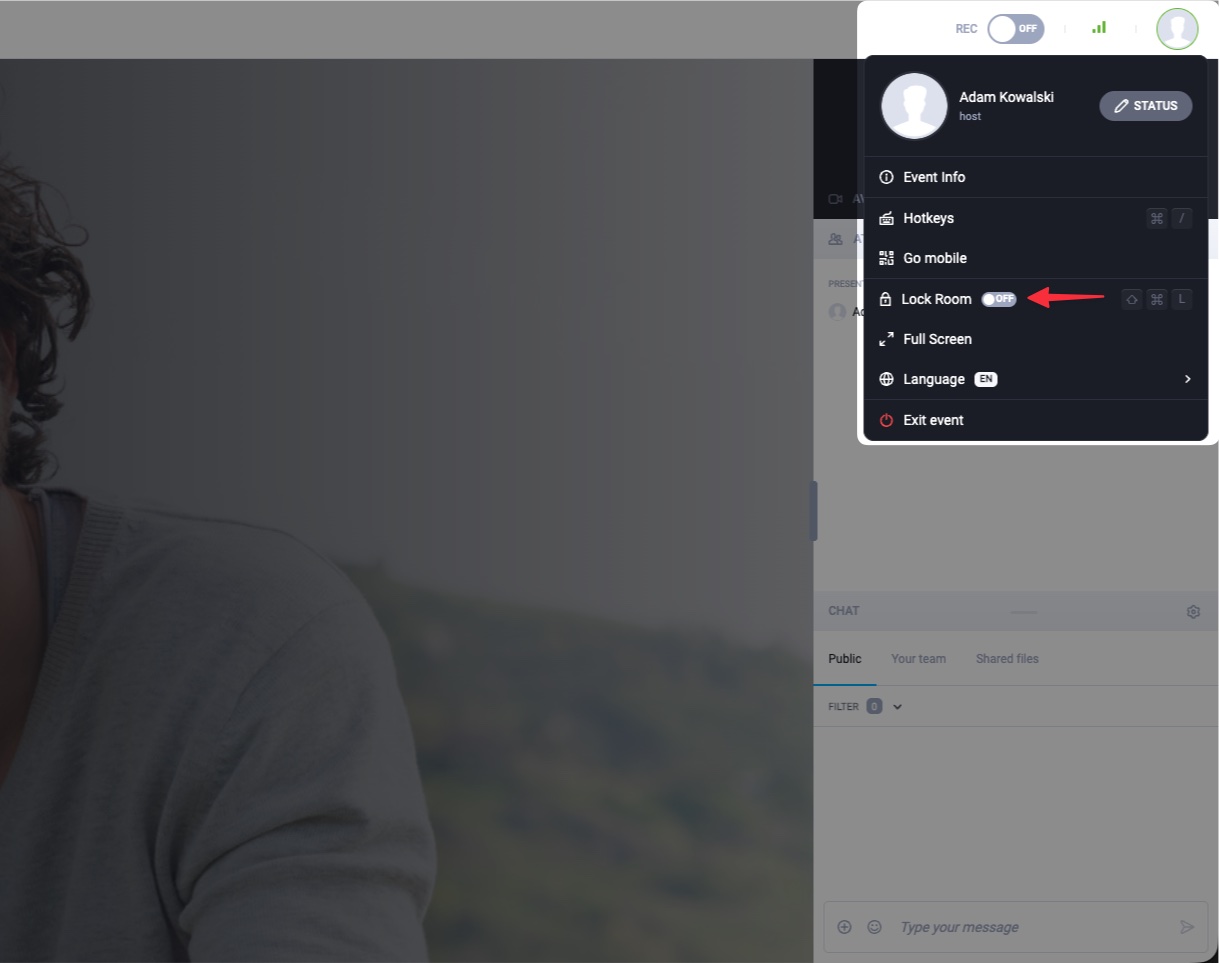
If the participant has a link to join the webinar, they will be able to rejoin your webinar room unless the host decides to lock the webinar room. The room can be locked by clicking on the avatar in the top right corner, followed by enabling the Lock Room toggle: