
You don’t have to break the bank to run successful email marketing campaigns. In fact, several affordable email marketing tools offer everything you need—robust features, easy automation, and insightful analytics—all without the hefty price tag of the premium options.
These affordable email marketing services allow you to craft compelling campaigns and get the most out of every dollar you spend.
So, let’s look at the top cheap email marketing service providers for 2026. These options are ideal for businesses of all sizes looking to maximize their return on investment.
TL;DR: The Best Budget Email Marketing Platforms
Here’s a quick comparison of the top affordable email marketing tools to help you decide which one fits your business needs the best!
| Tool | Best for | Free plan/trial | Paid plan |
|---|---|---|---|
| GetResponse | All-in-one growth | Free plan, 2,500 newsletters/mo | From $19/mo, 1,000 contacts |
| Brevo | Send-volume pricing | Free plan, 300 emails/day | From $9/mo, 5K emails |
| Moosend | Affordable automation | 30-day free trial | From $16/mo, 1,000 subscribers |
| Constant Contact | Events and SMBs | Free trial available | From $12/mo, 500 contacts |
| Mailtrap | Developer-led email | Free plan, 4K emails/mo | From $15/mo, 10K emails |
| Mailercloud | Affordable email automation | Free plan, 12K emails/mo | From $10/mo, 5,000 contacts |
| Mailjet | Team collaboration | Free plan, 6K emails/mo | From $17/mo, 15K emails |
| Sender | Beginner campaigns | Free plan, 2,500 subscribers | From $7/mo, scales by list |
| HubSpot | CRM marketing | Free tools available | From $20/mo/seat, 1K contacts |
| EmailOctopus | Simple newsletters | Free plan, 2,500 subscribers | From $9/mo, 10K emails |
| Mailchimp | Familiar campaigns | Free plan, 500 emails/mo | From $13/mo, 500 contacts |
| SendGrid | Transactional email | 60-day free trial | From $15/mo, Marketing Campaigns |
Essential criteria for choosing the right email marketing software
The following are some of the most crucial factors to consider when choosing cheap email marketing services:
- Ease of use – Go for an affordable email marketing tool with an intuitive interface for easy campaign creation and management. It should have a clean, user-friendly dashboard and responsive email templates.
It should also guide you through setup with clear instructions.
- Key features – Don’t focus too much on picking the cheapest email marketing platform and ignore essential features like robust automation, customizable email templates, audience segmentation, analytics, integrations, deliverability, and compliance.
- Scalability – Select a cheap email marketing software that can scale with your business. It should handle increased email volumes without significant cost hikes. It should also offer features like complex workflows, multichannel capabilities, and role-based access.
- Integration capabilities – Pick a cheap email marketing service that integrates with all the tools you use. It should integrate with common platforms like CRM systems (such as Salesforce or HubSpot), ecommerce platforms (like Shopify or WooCommerce), and social media tools.
For specific needs, ensure the platform supports custom integrations via APIs or webhooks.
- Pricing structure – Email marketing platforms charge based on the number of emails sent, the number of contacts, or a combination of both. Consider your email volume and list size to find the tool that gives you the best value.
Best budget-friendly email marketing solutions of 2026
Here are the best cheap email marketing services for 2026:
1. GetResponse: best cheap email marketing tool for all-in-one growth
GetResponse is best for businesses that want email marketing, automation, landing pages, forms, webinars, and list growth tools in one affordable platform.
Our platform is popular for offering an affordable yet robust suite of features. It can easily handle various marketing tasks and has a very user-friendly interface.
Key features
Here are the key features of GetResponse:
- Email marketing: Easily create and send newsletters using customizable, pre-made templates and a drag-and-drop editor.

You can also segment your audience for targeted email marketing campaigns.
- Automation: Set up advanced automation workflows for lead nurturing, customer follow-ups, drip campaigns, and behavior-based triggers.

- Landing page builder: Design and publish high-converting landing pages to capture leads and boost conversions. GetResponse also offers pop-up tools and sign-up forms to assist with lead generation.
- Generative AI features: Leverage AI to generate effective subject lines and email content. You can also use AI to optimize your email marketing campaigns through things like perfect timing.
- CRM: Manage customer relationships with tools for contact management and tracking interactions to enhance engagement and sales.
- Webinars: Host live and automated webinars to connect with your audience and generate leads.

- Analytics: Get detailed reports and insights to track your campaign performance, understand user behavior, and measure ROI.
- A/B testing: Experiment with different email elements, like subject lines and content, to fine-tune your email marketing strategy and improve results.
Pricing
GetResponse has a free plan that allows you to send up to 2,500 newsletters per month. The paid packages include:
- Starter: This package includes essential tools for running email marketing campaigns, including landing pages, signup forms and popups, email templates, autoresponders, and more. The pricing is $19 per month, billed monthly, for 1,000 contacts.
- Marketer: The plan is priced at $59 per month when billed monthly for up to 1,000 contacts. It offers all the features in the Starter plan, along with advanced capabilities for ecommerce and marketing automation.
- Creator: This plan is priced at $69 per month, billed monthly, for 1,000 contacts. It includes tools for creating and promoting courses, webinars, and premium newsletters. It features everything in the Marketer plan, plus unlimited courses, webinars, and premium newsletters.
The Marketer plan also includes ecommerce-focused features like cart abandonment campaigns, promo codes, sales funnels, advanced segmentation, contact scoring, and newsletter revenue statistics.
- GetResponse MAX: We tailored this plan for larger organizations. It includes extra features such as dedicated IP addresses, migration support, single sign-on (SSO), transactional emails, SMS marketing, and priority support.
GetResponse MAX uses custom pricing based on your requirements and list size. Contact our team to set up a trial and discuss your needs.
You can upgrade or change the number of contacts without having to switch plans. We also provide a 14-day free trial account, no credit card required. GetResponse offers monthly and annual billing options.
What we like
| Strength | Why it matters |
|---|---|
| All-in-one feature set | Reduces the need for separate landing page, form, webinar, and automation tools. |
| Unlimited sends on paid plans | Helps teams avoid email-volume anxiety as campaigns grow. |
| Automation plus list growth tools | Useful for businesses that want to capture, nurture, and convert leads. |
| Clear upgrade path | Starter, Marketer, Creator, and MAX cover different maturity levels. |
What we don’t like
| Limitation | Who should care |
|---|---|
| Not the lowest sticker price | Very small senders may prefer a lighter free or low-cost tool. |
| Some advanced features require higher plans | Ecommerce, enterprise, and creator-specific needs should be mapped before choosing. |
| Broad toolset may be more than basic newsletter senders need | Simple senders may not use the full platform. |
Best for
GetResponse is an excellent choice for businesses requiring a comprehensive marketing solution with email marketing, automation, and landing pages all in one. The free plan and cheap starting price make it a good option for budget-sensitive companies. Meanwhile, the vast features mean you can continue using the platform as your company grows.
2. Brevo: best cheap email marketing tool for send-volume pricing
Brevo is best for teams that want to pay based mainly on email volume rather than list size.
Key Features
This email marketing tool offers:
- Email marketing and automation: Design and send emails with responsive email templates, a drag-and-drop editor, Generative AI, segmentation, and automated workflows.
- SMS campaigns: Deliver targeted SMS messages as part of your campaign.

- Chat: Engage with visitors in real time through live chat. Link your mailboxes and respond through Brevo live chat.

- WhatsApp campaigns: Connect with customers on WhatsApp to share updates with personalized messaging.
Pricing
Brevo offers a free plan that lets you upload contacts and, once your account is approved for sending, send up to 300 emails per day. Basic email marketing tools are included, while advanced automation, reporting, branding removal, and additional channels depend on the plan you choose.
Paid Starter plans begin at $9 per month, or $8.08 per month when billed yearly, for 5,000 emails per month. The Starter plan includes email and SMS campaigns, a drag-and-drop editor, email templates, an AI content generator, forms, and basic reporting. Other plans include:
- Standard Plan: This plan starts at $18 per month, or $16.17 per month when billed yearly, for 5,000 emails per month. It adds marketing automation, A/B testing, advanced email reporting, web and event tracking, AI send time optimization, one landing page, and no Brevo logo.
- Professional Plan: This plan starts at $499 per month, or $449.08 per month when billed yearly, and includes higher email volume plus advanced multichannel features like WhatsApp, popups, mobile and web push notifications, multi-user access, contact scoring, AI segmentation, and deliverability specialist support.
What we like
| Strength | Why it matters |
|---|---|
| Email-volume pricing | Can be cheaper for large lists that do not send often. |
| Multichannel tools | Email, SMS, WhatsApp, push, and transactional options support broader communication. |
| Free daily sending | Good for early testing and low-volume campaigns. |
| Built-in CRM-style tools | Useful for simple contact management. |
What we don’t like
| Limitation | Who should care |
|---|---|
| Daily free-plan cap | Not ideal for batch newsletters. |
| Branding removal and advanced features can affect cost | Brand-sensitive teams should compare Starter vs Standard. |
| Advanced automation depends on tier | Growing teams should not judge Brevo only by the free plan. |
Best For
Brevo is ideal for marketers seeking a comprehensive multichannel approach. It’s perfect for marketers looking to integrate email, SMS, WhatsApp, and chat into their marketing strategies.
3. Moosend: best cheap email marketing tool for affordable automation
Moosend is best for small teams that want automation, landing pages, forms, and unlimited sends at a low entry price.
Key Features
- Automated workflows based on user behavior and triggers.
- Audience segmentation for personalized communication.

- Custom landing page creation for lead generation.

- Embed forms to grow your email list.
- Connect with other tools via APIs and pre-built integrations.
- AI tools for enhanced personalization and optimization.
Pricing
Moosend offers a 30-day free trial, no credit card required. The trial lets you test core features, including the email builder, templates, AI Writer, automations, segmentation, landing pages, forms, and unlimited email sends for up to 1,000 contacts. Paid plans include:
- Pro Plan: Starting at $16 per month for up to 1,000 subscribers, with unlimited email campaigns, marketing automation, subscription forms, landing pages, SMTP server access, and reporting.
- Moosend+ and Enterprise custom plans: Custom pricing for larger organizations, with options for transactional emails, audience discovery, SSO & SAML, account management, and advanced support.
What we like
| Strength | Why it matters |
|---|---|
| Low starting price | Strong fit for budget-conscious teams. |
| Unlimited sends | Good for frequent campaigns. |
| Automation included early | Helps SMBs build workflows without jumping tiers. |
| Landing pages and forms | Useful for basic list growth. |
What we don’t like
| Limitation | Who should care |
|---|---|
| No permanent free plan | Teams wanting a free forever tool may prefer another platform. |
| Transactional email is not included in basic Pro use | Ecommerce and SaaS teams should confirm total cost. |
| Support availability may be limited | Teams needing weekend support should test this before committing. |
Best for
Moosend’s robust features and unlimited email sends suit businesses with large contact lists.
4. Constant Contact: best cheap email marketing tool for small businesses and events
Constant Contact is best for small businesses, nonprofits, and event-focused teams that want simple campaign creation and guided marketing tools.

Key Features
- List management: Easily segment and manage your email lists with tools that help you keep everything organized and targeted.
- Event management: Easily set up and manage events, with features for creating signup forms and handling ticket sales.
- Social media integration: Promote email campaigns across social media platforms with scheduling and content creation tools.
Pricing
Constant Contact offers three pricing plans for its email newsletter software. Prices change depending on the size of your contact list.
- Lite: For $12 per month, you can send up to 5,000 emails to up to 500 contacts.
- Standard: Starts at $35 per month. You can send up to 6,000 emails with 500 contacts.
- Premium: Starts at $80 per month. This plan covers 12,000 emails for 500 contacts and includes 500 SMS messages.
You can prepay for a year to save up to 15% on any plan, or up to 30% if you’re a nonprofit. Constant Contact also offers a free trial and a 30-day money-back guarantee.
What we like
| Strength | Why it matters |
|---|---|
| Beginner-friendly campaign creation | Good for small teams without deep marketing expertise. |
| Event and nonprofit fit | Useful for local businesses, associations, and community organizations. |
| Templates and guided tools | Helps users get campaigns live quickly. |
| Strong brand familiarity | Reduces buying friction for non-technical teams. |
What we don’t like
| Limitation | Who should care |
|---|---|
| No permanent free plan | Budget-sensitive users may prefer free-plan alternatives. |
| Costs rise with list size | Growing lists should model future pricing. |
| Some features require higher tiers | Teams needing dynamic content or deeper automation should compare plans. |
Best for
Constant Contact is perfect for businesses that host events and manage social media. Its broad range of integrations also makes it ideal for organizations needing extensive customization and platform connectivity.
5. Mailtrap: best cheap email marketing tool for developer-led email sending
Mailtrap is best for teams that need email testing, sending infrastructure, and campaign tools in a more technical workflow.

Key features
- Drag-and-drop email builder: lets you create responsive HTML emails or templates and personalize them with merge tags without any coding skills.
- In-depth analytics: helicopter view dashboards and drill-down reports let you observe your email marketing efforts, how your campaigns perform with various mailbox providers, how much they bounce, and more.
- Email sandbox: every sending plan includes 100 test emails, allowing you to safely test your email content and deliverability.
Pricing
- Free: Send up to 4,000 emails per month, with a 150-email daily limit.
- Basic: Starts at $15 per month for 10,000 emails per month.
- Business: Starts at $85 per month for 100,000 emails per month.
- Enterprise: Starts at $750 per month for 1,500,000 emails per month, with custom options available for higher-volume senders.
What we like
| Strength | Why it matters |
|---|---|
| Strong testing and infrastructure orientation | Useful for SaaS, product, and development teams. |
| SMTP and API flexibility | Helps technical teams control email sending. |
| Email sandboxing | Reduces risk before production sends. |
| Deliverability focus | Important for transactional and product emails. |
What we don’t like
| Limitation | Who should care |
|---|---|
| Product/pricing structure can be confusing | Non-technical marketers may prefer a simpler email platform. |
| Marketing automation is not the core strength | Lifecycle marketers may need a broader tool. |
| Separate products can increase total cost | Teams needing testing, API, and campaigns should model combined pricing. |
Best for
Mailtrap is ideal for developer and marketing teams that need email testing, sending infrastructure, and campaign tools. Its Email API/SMTP, Email Marketing, and Email Sandbox products are priced separately, so teams should confirm which product or combination they need before choosing a plan.
6. Mailercloud: best cheap email marketing tool for affordable automation and interactive emails
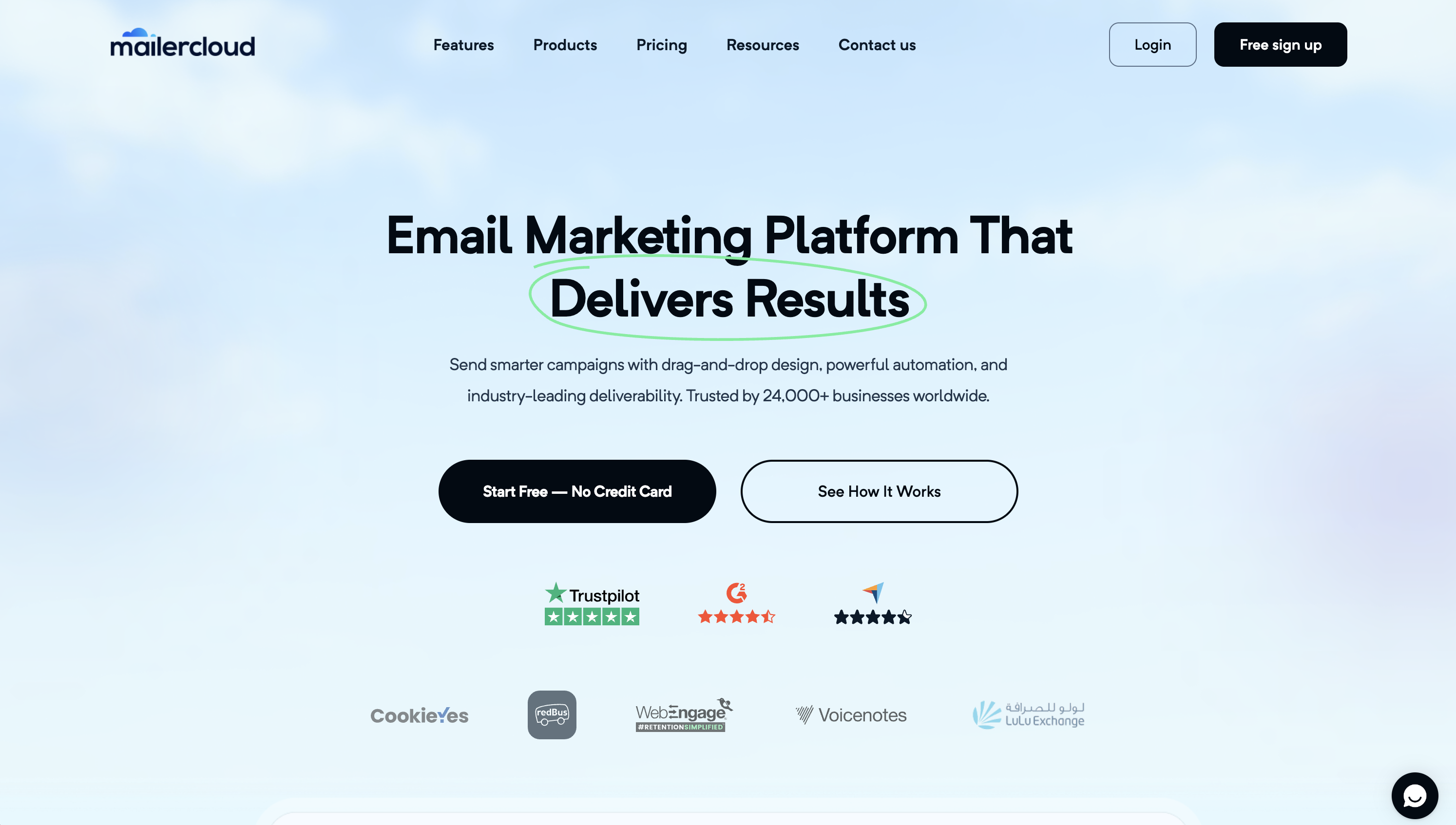
Mailercloud is best for small businesses, startups, and creators that want email automation, generous sending limits, and deliverability tools at an affordable price.
The platform combines campaign creation, audience management, automation, and reporting in a straightforward package. Its free plan supports up to 1,000 contacts and 12,000 emails per month, making it a practical option for businesses building their first email list.
Key features
Mailercloud offers the following key features:
• Drag-and-drop email builder: Create responsive campaigns without coding using a visual editor, customizable templates, and desktop and mobile previews. A custom HTML editor is also available for users who want more design control.
• Email automation: Build welcome sequences, drip campaigns, re-engagement campaigns, and behavior-triggered workflows. Automations can respond to actions such as email opens, clicks, page visits, and custom events.
• Audience management: Organize contacts using segmentation, personalization, campaign tags, contact monitoring, and contact ratings.
• AMP emails: Create interactive emails that let subscribers complete actions such as filling out forms, answering surveys, or browsing products without leaving supported email clients.
• Deliverability tools: Use Inbox Tracker, spam-score analysis, blacklist monitoring, and sender-reputation insights to identify potential deliverability problems.
• Campaign analytics: Monitor opens, clicks, bounces, unsubscribes, complaints, conversions, devices, and subscriber locations. Paid plans also support A/B testing.
• Forms and integrations: Build web forms and connect Mailercloud with services such as Shopify, WooCommerce, WordPress, HubSpot, Zapier, Make, and Google Sheets.
Pricing
Mailercloud bases its Marketing Platform pricing primarily on the number of contacts stored. Its paid plans include unlimited email sending, subject to fair-use requirements.
• Free: $0 per month for up to 1,000 contacts and 12,000 emails per month. It includes regular campaigns, a basic workflow editor, one advanced automation, and email support. No credit card is required.
• Premium: Starts at $10 per month for up to 5,000 contacts and unlimited email sends under the fair-use policy. It adds advanced workflows, up to 25 advanced automations, bulk automation, A/B testing, an AI subject-line generator, AMP email support, and priority chat support.
• Enterprise: Custom pricing and contact limits. It includes unlimited advanced automations, SAML-based single sign-on, a dedicated account manager, and additional enterprise support options.
Annual billing provides a 30% discount, bringing the entry-level Premium price to the equivalent of approximately $7 per month when paid annually.
Mailercloud also offers a separate transactional Email API product with SMTP and REST API access. It starts at $7 per month and is billed separately from the Marketing Platform.
What we like
| Strength | Why it matters |
|---|---|
| Generous free plan | Supports meaningful testing and early list growth with 1,000 contacts and 12,000 monthly emails. |
| Affordable paid plan | The entry plan covers 5,000 contacts and unlimited fair-use sending for $10 per month. |
| Automation on the free plan | Small businesses can start building automated journeys before upgrading. |
| Built-in deliverability tools | Inbox placement, spam, blacklist, and reputation insights help teams identify sending problems. |
| AMP email support | Enables interactive experiences inside supported inboxes. |
| 30% annual discount | Reduces the effective entry price for businesses willing to pay yearly. |
What we don’t like
| Limitation | Who should care |
|---|---|
| Pricing increases with contact count | Businesses with very large lists but infrequent sending may prefer a volume-based provider. |
| Several standout features require Premium | Teams wanting A/B testing, AMP emails, AI subject lines, or bulk automation will need to upgrade. |
| AMP is not supported by every email client | Campaigns need a standard-email fallback for unsupported inboxes. |
| Transactional email is priced separately | SaaS and ecommerce teams should include the Email API in their total cost calculations. |
| Free automation has usage limits | Teams building numerous or complex customer journeys may outgrow the free plan. |
Best for
Mailercloud is best for startups, creators, and small or midsized businesses that want an affordable email marketing platform with automation, generous sending allowances, and built-in deliverability monitoring.
It is particularly attractive to frequent senders because paid Marketing Platform plans include unlimited email sending under a fair-use policy. Businesses interested in interactive AMP emails or those that want to monitor inbox placement without purchasing a separate deliverability tool may also find it a strong value.
7. Mailjet: best cheap email marketing tool for team collaboration
Mailjet is best for teams that need marketing and transactional email with collaborative editing and volume-based pricing.

Key features
- SMTP relay: Send large volumes of transactional emails, like order confirmations or password resets.
- Multi-user collaboration: Work seamlessly with your team, thanks to features that allow for easy collaboration and sharing of email campaigns.
- Dynamic content capabilities: Customize and personalize email content based on individual user data, such as their behavior or preferences.
Pricing
The following are Mailjet plans:
- Free: Send up to 6,000 emails monthly, with a daily limit of 200.
- Essential: For $17 per month, you can send from 15,000 emails per month.
- Premium: At $27 per month, this plan lets you send from 15,000 emails per month.
- Custom: Mailjet can provide a custom quote for plans with premium features like Strategic Deliverability Consulting and IP Performance Monitoring.
Plus, you can get a 10% discount if you choose annual billing.
What we like
| Strength | Why it matters |
|---|---|
| Volume-based pricing | Good for large lists with occasional sending. |
| Real-time collaboration | Useful for teams working together on campaigns. |
| Marketing and transactional email | Supports more than newsletters. |
| Strong free send volume | Good for early testing. |
What we don’t like
| Limitation | Who should care |
|---|---|
| Daily cap on free plan | Not ideal for large one-off sends. |
| Automation trails stronger platforms | Lifecycle marketers may outgrow it. |
| Support is tiered | Teams needing fast help should compare plans. |
Best for
Mailjet is perfect for businesses needing a flexible platform for marketing and transactional emails. It offers strong automation and collaboration tools to enhance email marketing and boost conversion rates.
8. Sender: best cheap email marketing tool for beginners with generous limits
Sender is best for beginners and small businesses that want simple campaigns, automation, and a generous free plan.

Key features
- Lead management: Keep track of your contacts and manage them efficiently.
- High email deliverability: Ensure your emails land in inboxes, not spam folders.
- Customizable templates: Choose from a wide array of templates that you can tweak to fit your campaign’s needs.
- SMS marketing: Craft personalized text messages and schedule them to go out at the perfect time.
Pricing
Sender offers a Free Forever plan and paid Standard, Professional, and Enterprise plans:
- Free Forever Plan: It accommodates up to 2,500 subscribers and up to 15,000 emails per month. It includes email newsletters, email automation, landing pages, signup forms and popups, transactional emails, and Sender branding.
- Standard Plan: Pricing scales by subscriber count. The plan removes Sender branding and adds SMS messaging, role-based seats, unlimited email and popup templates, unlimited landing pages, custom domains, and A/B testing.
- Professional Plan: Pricing scales by subscriber count. The plan adds advanced omnichannel features, premium support, advanced automation, advanced reports, and dedicated IPs on plans with 20,000 subscribers and above.
- Enterprise Plan: This plan offers tailored features to meet your specific demands.
What we like
| Strength | Why it matters |
|---|---|
| Generous free limits | Strong for new businesses and small lists. |
| Simple interface | Low learning curve for beginners. |
| Email plus SMS options | Useful for basic multichannel campaigns. |
| Affordable paid path | Good for cost-sensitive teams. |
What we don’t like
| Limitation | Who should care |
|---|---|
| Less advanced CRM depth | B2B and sales-led teams may need more. |
| Basic templates/customization | Brand-heavy teams may want more design control. |
| Not built for complex automation | Advanced lifecycle teams may outgrow it. |
Best for
Sender is especially useful for those who need essential features without complex technical requirements.
9. HubSpot: best cheap email marketing tool for CRM-connected marketing
HubSpot is best for teams that want email marketing connected to CRM, lead tracking, forms, landing pages, and sales workflows.
The platform offers a comprehensive set of tools, from email marketing and content management to CRM and detailed analytics.
Its email marketing software, part of the Marketing Hub, includes various features to enhance your campaigns.

Key features
- Advanced personalization: Tailor your emails with details like names, company info, and past interactions to make each message truly personal.
- Template library: Access a wide range of templates designed to grab attention and boost engagement.

- Deliverability tools: Benefit from features and best practices that help your emails dodge spam filters and land in your audience’s inbox.
- Dynamic content: Personalize content by matching user behaviors and preferences.
- Seamless integration: Connect easily with HubSpot’s CRM and Salesforce to personalize your emails and manage your lists effortlessly.
Pricing
With HubSpot, pricing depends on your plan, seats, and marketing contacts. Here’s a quick rundown of what you get at different levels:
- Free tools: HubSpot offers free CRM and marketing tools with HubSpot branding and limited email marketing functionality.
- Marketing Hub Starter: Starts at $20 per month per seat when paid monthly, or $7 per month per seat when paid annually. It includes 1,000 marketing contacts.
- Starter Customer Platform: HubSpot also offers a Starter Customer Platform for small businesses that need marketing, sales, service, content, and data tools in one bundle.
- Marketing Hub Professional: Starts at $890 per month when paid monthly, or $800 per month when paid annually. It includes 3 core seats, 2,000 marketing contacts, and requires one-time Professional onboarding for $3,000.
- Marketing Hub Enterprise: Starts at $3,600 per month. It includes 5 core seats, 10,000 marketing contacts, and requires one-time Enterprise onboarding for $7,000.
What we like
| Strength | Why it matters |
|---|---|
| CRM-connected email | Strong for lead tracking and sales alignment. |
| Broad marketing toolkit | Forms, landing pages, automation, reporting, and CRM live together. |
| Strong integration ecosystem | Useful for growing teams with many tools. |
| Good free entry point | Lets teams test the ecosystem. |
What we don’t like
| Limitation | Who should care |
|---|---|
| Not cheap at scale | Growing teams should model contacts, seats, and hubs. |
| Learning curve | Small teams may need onboarding time. |
| Overkill for newsletters | Simple senders may pay for functionality they do not need. |
Best for
HubSpot’s email marketing tool is perfect for businesses focused on inbound marketing. It is user-friendly and integrates seamlessly with CRM features.
10. EmailOctopus: best cheap email marketing tool for simple newsletters
EmailOctopus is best for startups, creators, and small teams that want affordable newsletter sending without heavy automation complexity.

Key features
- Intuitive interface for managing campaigns
- Customizable email templates
- Automated sequences to nurture leads
- Tools for effective list segmentation
Pricing
- Free Plan: Offers basic features with a limit of 10,000 emails per month and up to 2,500 subscribers.
- Paid Plans: Pro begins at $9 per month when billed yearly, with 10,000 emails per month, full control over your email design, reports available forever, unlimited landing pages and forms, unlimited users, and no EmailOctopus branding.
What we like
| Strength | Why it matters |
|---|---|
| Generous free subscriber limit | Strong for startups and creators. |
| Simple interface | Good for teams that do not want complexity. |
| Affordable positioning | Good fit for budget-conscious newsletter senders. |
| Lightweight setup | Useful for publishing-led businesses. |
What we don’t like
| Limitation | Who should care |
|---|---|
| Not built for complex automation | Lifecycle marketers may need more. |
| Fewer advanced marketing tools | Teams needing funnels, webinars, CRM, or ecommerce may outgrow it. |
| Lighter reporting | Data-heavy teams may prefer another platform. |
Best for
EmailOctopus is ideal for anyone who wants core email marketing tools without the complexity or high cost of more advanced platforms.
11. Mailchimp: best cheap email marketing tool for familiar beginner campaigns
Mailchimp is best for beginners who want a familiar email platform, but growing teams should watch contact and send limits closely.

Key features
- Data-driven optimization tools
- Detailed segmentation options and comprehensive reporting
- High-level automation and targeting based on user behavior
Pricing
- Free Plan: Basic features for fewer than 250 contacts, with up to 500 emails per month or 250 emails per day.
- Essentials Plan: Starts at $13/month for 500 contacts and up to 5,000 emails per month.
- Standard Plan: Starts at $20/month for 500 contacts, with more advanced automation, optimization, and reporting features.
- Premium Plan: Starts at $350/month after the promotional period shown on Mailchimp’s pricing page, with advanced features for larger teams.
What we like
| Strength | Why it matters |
|---|---|
| Familiar interface | Good for beginners. |
| Broad integrations | Useful for common SMB stacks. |
| Strong campaign basics | Templates, audience tools, and analytics are mature. |
| AI-assisted features on paid tiers | Helps speed up campaign creation. |
What we don’t like
| Limitation | Who should care |
|---|---|
| Free plan is limited | New senders may outgrow it quickly. |
| Send caps apply | Frequent senders should model volume. |
| Costs rise with contacts and features | Growing lists should compare future tiers. |
Best for
Mailchimp is ideal for beginners and small teams that want a familiar, feature-rich email marketing platform. Growing businesses should compare future pricing carefully as their lists expand.
12. SendGrid: best cheap email marketing tool for transactional email teams
SendGrid is best for developer-led teams that need email API infrastructure and basic marketing campaigns.

Key features
- Integrate email-sending capabilities into your applications using email API.
- Beyond just sending test emails, SendGrid offers spam testing, email previews, and link validation to ensure your emails look great and reach the inbox.
Pricing
Twilio SendGrid offers separate pricing for Marketing Campaigns and Email API. Here’s what’s available for Marketing Campaigns:
- Free Trial: $0 per month for 60 days.
- Basic Plan: Starts at $15 per month.
- Advanced Plan: Starts at $60 per month.
What we like
| Strength | Why it matters |
|---|---|
| Strong email API | Good for developers and product teams. |
| Transactional email focus | Useful for password resets, receipts, notifications, and app emails. |
| Scalable infrastructure | Strong fit for technical senders. |
| Basic marketing campaigns | Lets teams run simple campaigns without separate infrastructure. |
What we don’t like
| Limitation | Who should care |
|---|---|
| No permanent free plan | Budget-focused marketers may prefer another tool. |
| Marketing features are basic | Lifecycle teams may need more automation. |
| Pricing path can be confusing | Teams may need both API and Marketing Campaigns products. |
Best for
SendGrid is ideal for developer-led teams that need a reliable transactional email API and basic marketing campaign tools.
Conclusion
When looking for the best cheap email marketing tools for 2026, you’ll want something that has robust features without stretching your budget.
As you search for the right affordable email marketing software, remember to prioritize ease of use and essential features like automation, detailed analytics, scalability, and integration options.
This article covered the cheapest email marketing services for 2026. Each has unique features and pricing plans to match different business needs.
Still not sure where to start? Consider giving GetResponse a try. It offers the ideal blend of functionality and value, with all the essential tools for your growth and success while remaining budget-friendly. Plus, we have a free email marketing software plan for those who are not ready to start paying for email campaigns yet.
FAQ: Choosing a cheap email marketing tool
What is the best cheap email marketing tool?
The best cheap email marketing tool depends on your list size, sending frequency, and required features. GetResponse is a strong all-in-one option, Brevo is useful for send-volume pricing, Moosend is strong for affordable automation, and Sender or EmailOctopus can work well for simple low-cost newsletters.
What is the cheapest email marketing tool with automation?
Moosend, GetResponse, Brevo, and Sender are all worth comparing for affordable automation. Check whether automation is included in the entry-level plan or only available after upgrading.
Which cheap email marketing tool has the best free plan?
Sender and EmailOctopus offer generous free plans for beginners. Brevo is useful for low daily sending, while GetResponse offers a free plan plus a free trial for testing premium features.
Is free email marketing software enough for a small business?
Free email marketing software can be enough for testing, early list building, and simple newsletters. Most businesses eventually need a paid plan for automation, branding removal, more sends, better reporting, or support.
Which cheap email marketing tool is best for ecommerce?
GetResponse, Brevo, Mailchimp, and Sender can work for ecommerce depending on your needs. Choose based on automation depth, ecommerce integrations, product recommendations, transactional email needs, and total cost at your list size.
Which cheap email marketing tool is best for large contact lists?
Brevo and Mailjet can be good for large contact lists because their pricing is more focused on email volume. GetResponse and Moosend can be strong for frequent senders because paid plans include unlimited email sends.
Which cheap email tool is best for developers?
Mailtrap and SendGrid are better suited for developer-led teams that need SMTP, API access, testing, transactional email, and deliverability infrastructure.
Is Mailchimp still a cheap email marketing tool?
Mailchimp can still be affordable at the entry level, but its free plan and send limits are more restrictive than they used to be. Growing teams should compare future pricing before committing.
What should I compare before choosing cheap email software?
Compare contact limits, monthly send limits, automation access, forms, landing pages, branding removal, ecommerce integrations, support, transactional email, and the price at your future list size.
When should I upgrade from a free email marketing plan?
Upgrade when you need more sends, more contacts, automation, advanced segmentation, branding removal, better analytics, ecommerce workflows, or reliable support.
