
How to exclude bot clicks and opens from the automation workflow?
Filtering out bot or fake clicks and opens ensures that your automation cycle processes only genuine user interactions. When enabled, the entire workflow will ignore any activity generated by bots, preventing skewed metrics and unnecessary triggers.
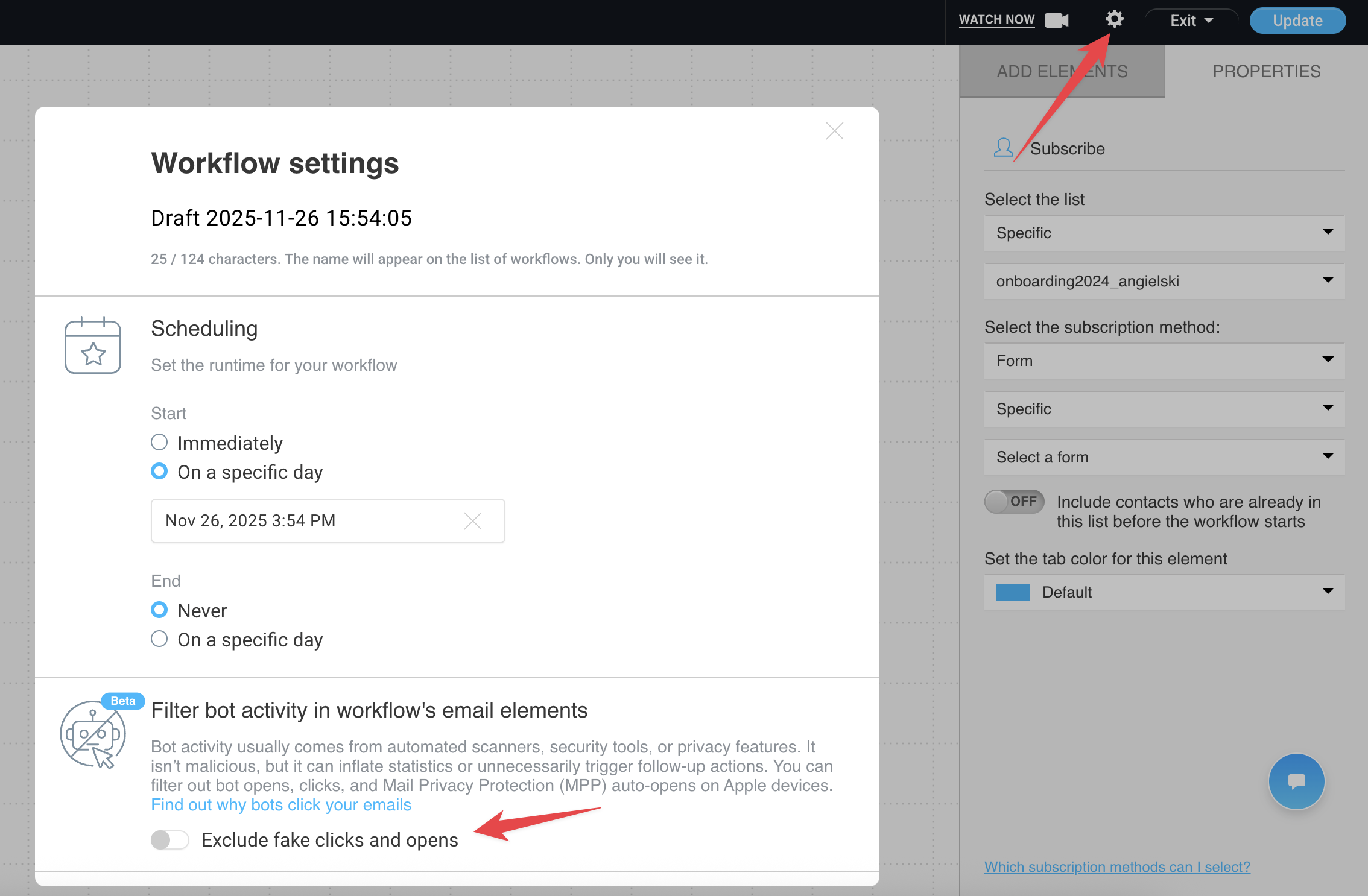
You can enable or disable this feature in your workflow settings by clicking the gear icon in the top-right corner and selecting Exclude fake clicks and opens.
Understanding Bot Detection
Bot detection identifies automated interactions – such as email scanners, link previews, or other non-human activity – that can appear as clicks, opens, or other interactions in your workflow. By filtering these out, your workflow focuses solely on real human behavior, giving you more accurate insights and preventing unnecessary triggers.
For a deeper dive into how bot detection works across the GetResponse platform and why it’s important, check out Introducing Bot Detection: Measure Human Engagement, Not Bots. This article explains the approach we use to separate human activity from automated interactions and how it impacts your reporting and automation.
