# Do you offer a plain HTML form code?

We no longer offer HTML editor, however, we have prepared some sample HTML codes in case you need a form in this format.

Please note that the following article provides only code samples. We don’t offer further assistance with HTML. Make sure you’re comfortable with coding or that you have a developer to consult with.

MAX account holders need to replace http://app.getresponse.com/ with a sending domain.

**Before you begin:**

**Unblock** plain HTML form signups in the settings of your list (blocked by default for new lists):  
  
![Toggle to enable or disable plain html signups](https://us-wd.gr-cdn.com/help/sites/9/2025/02/0908/CleanShot-2025-02-12-at-10.05.21.jpeg)

**HTML form with email and name fields**
----------------------------------------

    <form action="https://app.getresponse.com/add_subscriber.html" accept-charset="utf-8" method="post">
    email: <input type="text" name="email"/><br/>
    name: <input type="text" name="name"/><br/>
     
    <input type="hidden" name="campaign_token" value="xxx" />
     
    <input type="hidden" name="thankyou_url" value=""/>
    <input type="hidden" name="start_day" value="0" />
    <input type="submit" value="Subscribe"/>
    </form>

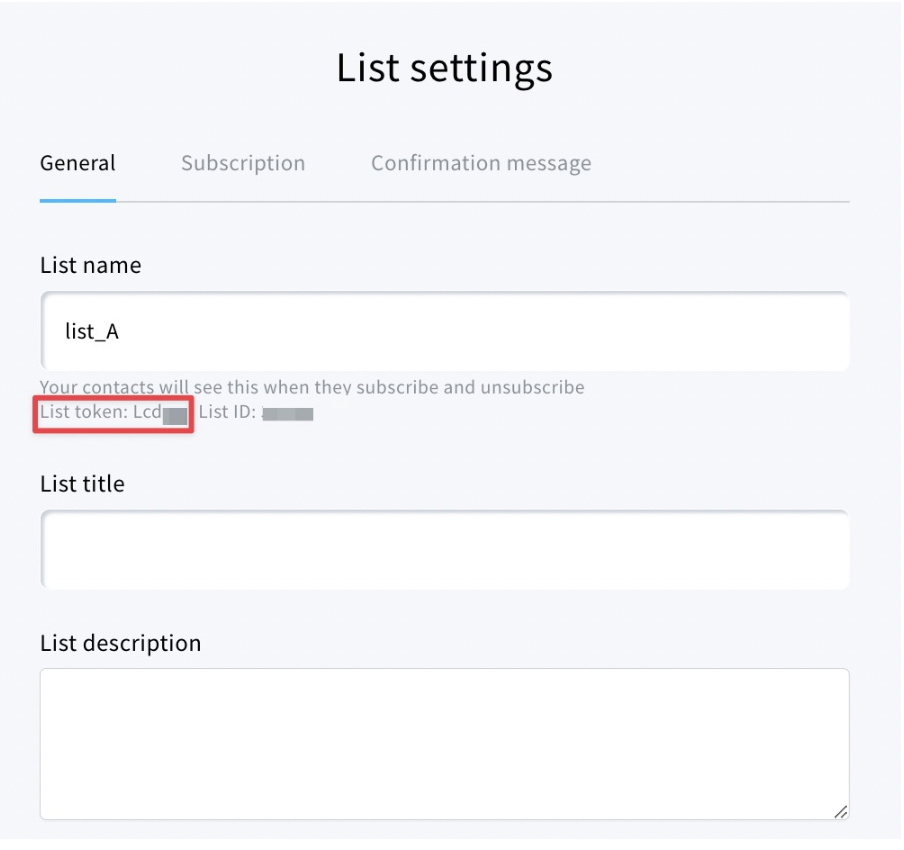
Replace the “**xxx**” in the campaign\_token line with the token from list settings
![](https://us-wd.gr-cdn.com/help/sites/9/2023/07/1048/Screenshot-2023-07-26-at-12.47.58-1.png)

**Adding custom fields**
------------------------

**Text custom field**

    Label: <input name="custom_customfieldname" type="text" value="" /><br/>

Example:  
`City: <input` `name="custom_city"` `type="text"` `value=""` `/><br/>`

**Multiple answer field**

    
    Label: <input id="webform_customfieldname_0" type="checkbox" name="custom_customfieldname[]" value="valueA" /> <label for="webform_customfieldname_0">valueA</label> <input id="webform_customfieldname_1" type="checkbox" name="custom_customfieldname []" value="valueB" /> <label for="webform_customfieldname_1">valueB</label> <br/>

Example:  
  
Platform:  
`<input id="webform_platform_0" type="checkbox" name="custom_platform[]" value="Amazon"/> <label for="webform_platform_0">Amazon</label> <input id="webform_platform_1" type="checkbox" name="custom_platform[]" value="Google"/> <label for="webform_platform_1">Google</label> <br/`\>

ValueA and valueB must match the values of custom fields created under [Contacts > Custom fields](https://app.getresponse.com/custom-fields).

**Single answer field**

    Label: <select name="custom_customfieldname"><option value="valueA">ValueA</option> <option value="ValueB">ValueB</option> </select><br/>

Example:  
`Gender: <select` `name="custom_gender"><option` `value="Female">Female</option> <option` `value="Male">Male</option> </select><br/>`

**GDPR/consent field**

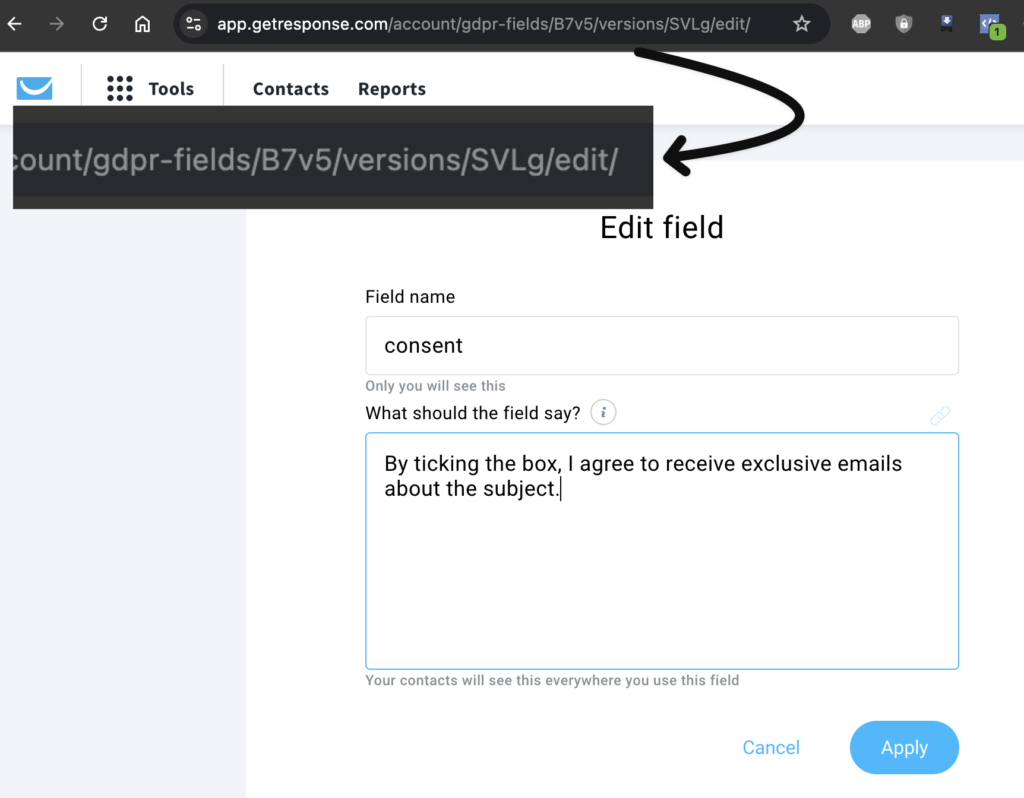
    <input id="webform_consentB7v5_0" type="checkbox" name="webform[consentB7v5-verSVLg]" value="true"/> <label for="webform_consentB7v5_0"> text </label> <br/>

**B7v5** and **SVLg** are dynamic and taken from the URL of the consent field edit screen and **you must replace it with your own values**. [You can find here how to edit consent fields.](https://www.getresponse.com/help/how-do-i-create-and-use-consent-fields.html#how-do-i-edit-a-consent-field?)
![](https://us-wd.gr-cdn.com/help/sites/9/2024/11/1400/cfdtfi-1024x798.png)

Data forward
------------

    
    <input type="hidden" name="forward_data" value="post" />