Learn How to Get Started with Marketing Automation in GetResponse
Quick step-by-step video tutorial to help you set up and start using marketing automation in GetResponse.
Automate your ideal customer journey
Build personalized automation workflows to engage and guide your customers every step of the way to conversion.
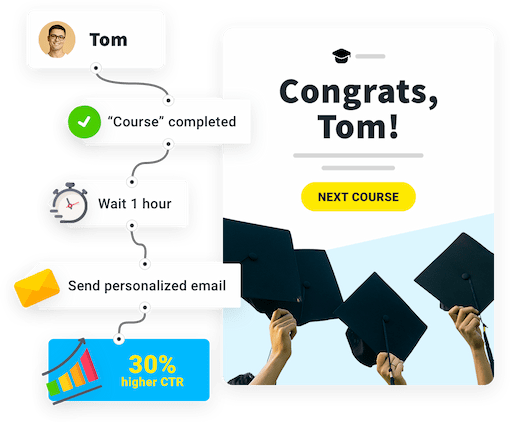
 Save time
Use prebuilt workflows for specific campaigns or easily build your own automations.
 Capture and convert
Send automated emails to all new subscribers and nurture them with relevant offers.
 Sell more
Automatically reach cart abandoners or recommend products your customers love.
 Build a connection
Add a personal touch to every message and campaign using robust customer data.
Build marketing automation workflows based on customers' data and behavior.
Use it to deliver personalized marketing experiences.
Communicate with your audience with even greater precision using data stored in your account.

Track and rate customers actions to create custom segments based on specific data and criteria.

Search and segment tagged contacts to run targeted, automated email marketing campaigns. Stay relevant to all of your customer groups.
GET STARTED FREE ›

The comprehensible automation panel has allowed us to extend the automation process to very advanced.
Mariusz,
The drag and drop interface made creating rather complex automation trees very easy.
Felipe Godoy,
Thanks to marketing automation, I can finally focus on strategic solutions rather than manual execution.
Jan,Use prebuilt, powerful automation templates. Tech-tested, marketing-approved, helping thousands of businesses grow even faster.
Trigger welcome emails that start a conversation with your prospects. Thank them for signing up, share your story and special offers.

Automation learns your customers' preferences and triggers product recommendations based on each customer's purchase history.

Remind your customers about their abandoned order with a sequence of abandoned cart emails.

Track and rate customer actions on your website, landing pages, and emails to trigger relevant emails or assign to segments.

Put advanced ecommerce tools and integrations to work with marketing automation. Squeeze the most out of your inbound traffic.
Connect your favorite tools with GetResponse and start monetizing your marketing campaigns.

Monitor and analyze events on your pages to share custom offers when it matters most.

Trigger automated email campaigns to your website visitors who left without converting.

GetResponse MAX is an all-inclusive solution for mid and large companies looking for advanced marketing tools, dedicated support, and top data security.
With GetResponse MAX you get:


Marketing automation is a suite of powerful conditions, filters, and actions. You combine all of them to create workflows that reflect a subscriber journey or experience. When building a workflow, you can use one of our predesigned templates or build a workflow from scratch.
This feature lets you to take steps once someone visits a page of your choice. All you need to do is set up the element's properties, that is enter a URL that we need to track. For example, if someone visits a page you linked in your message, you can add scoring points or a tag.
Abandoned cart emails are simply follow-up messages to customers who left your website without placing an order. You can create a workflow to automatically send these emails that can also display the contents of their online shopping cart. It's helpful for when you'd like to reduce the number of incomplete orders and increase your sales.
Automation templates serve the goal or match your campaign idea. To use them, simply populate it with your own data, including message templates, lists, and element properties.
Quick step-by-step video tutorial to help you set up and start using marketing automation in GetResponse.